Workflow Tools & Candidate Experience
Workflow Tools Enhancements
- Evaluator list view filters: Evaluators can now filter their assigned candidate list based on workflow, status, and assessment score, making it easier to prioritize key candidates, access relevant records quickly, and streamline the overall evaluation process. Check out more details here: https://portal.productboard.com/ds8uersvkfqrlqmyubqxam75/c/150-list-view-of-the-evaluations-with-filters-and-sorting?&utm_medium=social&utm_source=starter_share
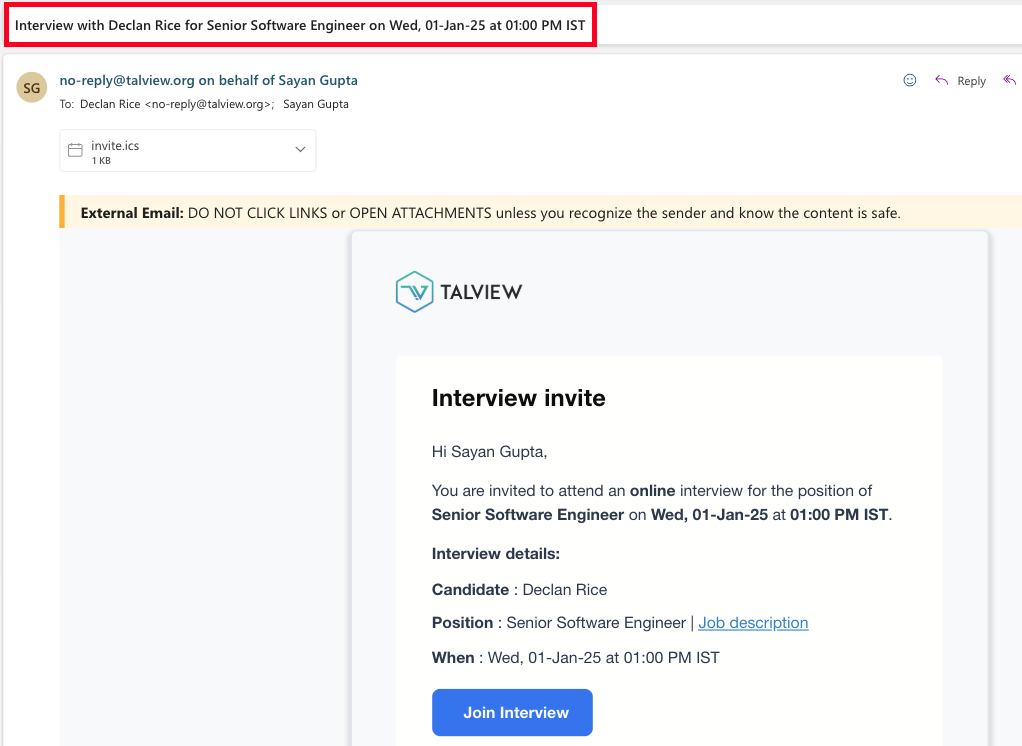
- Candidate name in IS interviewer email : Interview invitations, rescheduling, and RSVP emails to the interviewers now include the candidate’s name in the subject line, enabling them to quickly identify relevant details, reduce confusion, and ensure timely interview participation. Check out more details here:https://portal.productboard.com/ds8uersvkfqrlqmyubqxam75/c/149-add-candidate-name-in-the-interviewer-email-subject?&utm_medium=social&utm_source=starter_share
Candidate Experience Enhancements
- Cancel and Refund rules for exam slot booking: Candidates can now cancel their booked exam slots and receive refunds based on configurable organizational policies, improving clarity, flexibility, and overall satisfaction with booking management. Learn more here: https://portal.productboard.com/ds8uersvkfqrlqmyubqxam75/c/135-cancel-and-refund-policies?&utm_medium=social&utm_source=starter_share
- Multicurrency support for Payment: Multi-currency support now allows candidates to pay in their preferred currencies, such as Euros or GBP, while organizations can configure currency options at the SKU level, enhancing global payment flexibility and reducing drop-offs. Check out more details here: https://portal.productboard.com/ds8uersvkfqrlqmyubqxam75/c/151-multicurrency-support-for-payment?&utm_medium=social&utm_source=starter_share
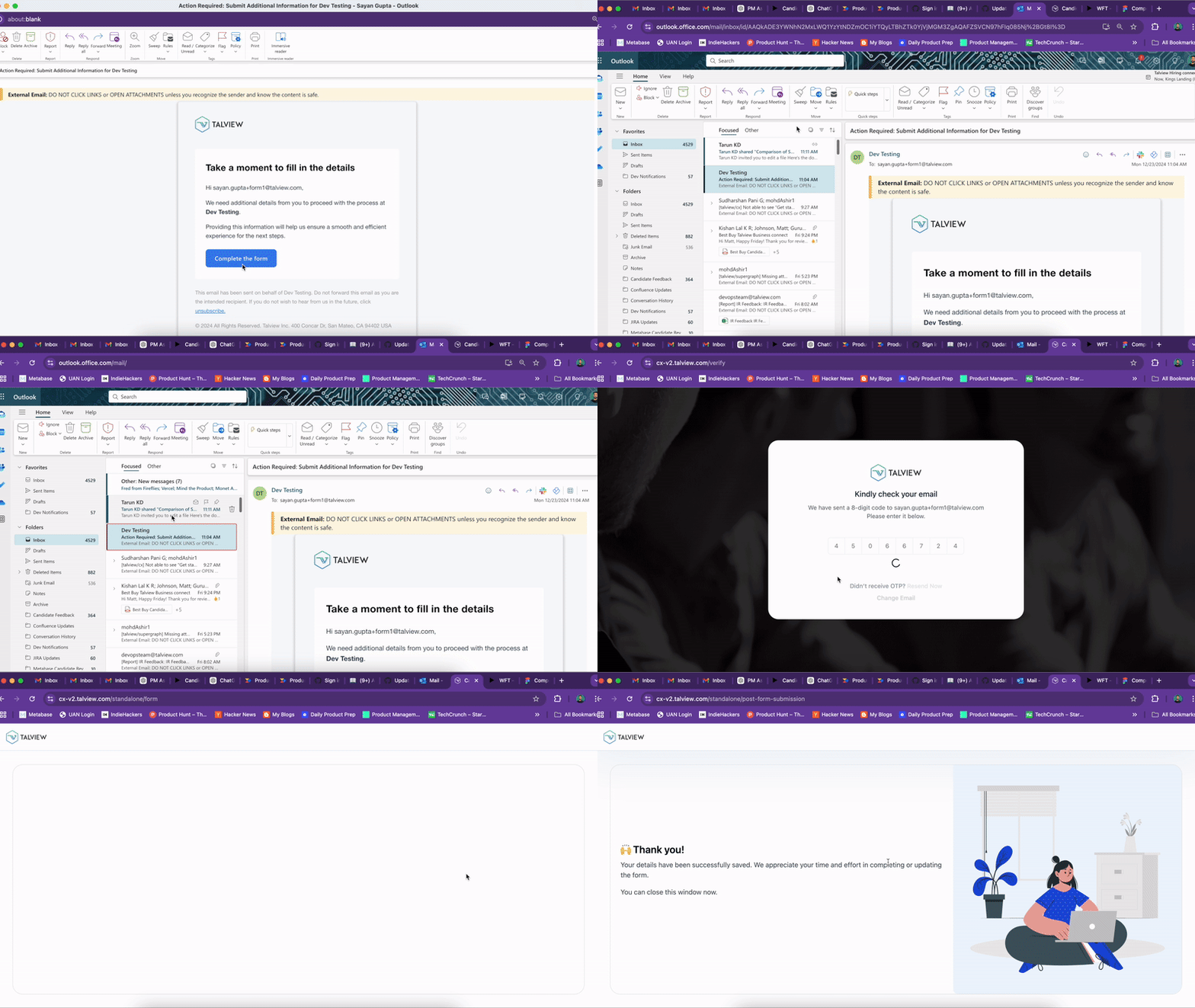
- Integration of Standalone forms: Organizations can now integrate standalone forms into the candidate journey, enabling seamless data collection at any workflow step and improving efficiency and the overall candidate experience. Learn more: https://portal.productboard.com/ds8uersvkfqrlqmyubqxam75/c/152-integration-of-standalone-forms-with-candidate-experience?&utm_medium=social&utm_source=starter_share
The features mentioned above will provide the greatest benefit to the evaluators and the candidates.What are we working on next?
- Test taker experience enhancements - Skip-enabled workflows
- SMS workflows for RSVP negotiations
- Unified notification inbox - WIP
- No-show enhancement notifications - WIP
- Self-scheduling cancellation for candidate slot booking - WIP
- IS emails cannot be customized, only an external link can be added at an organizational level.
- Test taker can be used as an external assessment inside attend-ng.
- Async videos (using the new test taker) are unavailable for review.
Interview Rooms
New Features
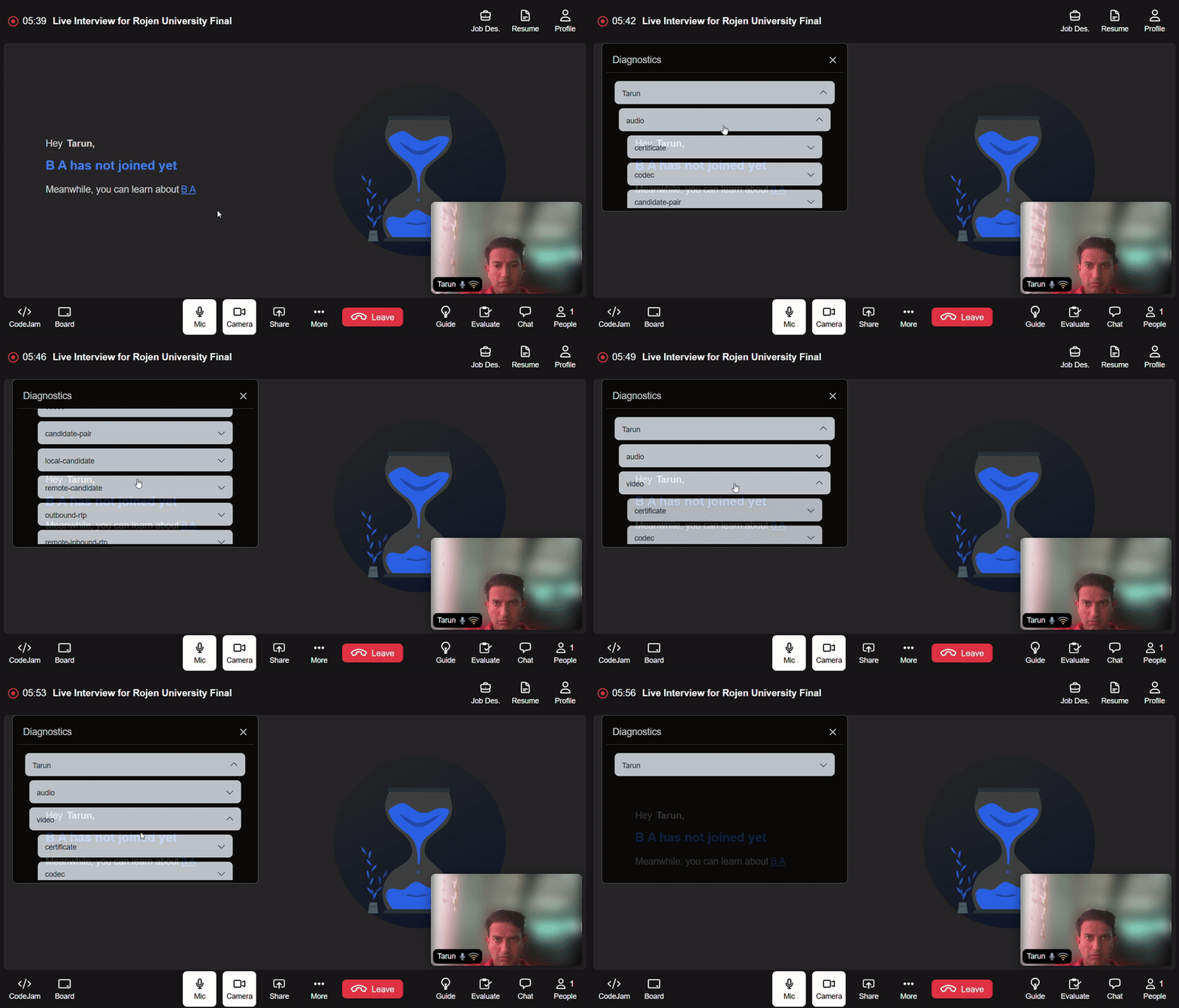
In meeting diagnostic- Description: A semi-transparent diagnostics tab, activated in-meeting with Shift+D, monitors bitrate, packet loss, resolution, and FPS to ensure clear audio, smooth video, and seamless screensharing quality.
- Benefits:
- Real-time Issue Detection: Identify video, audio, or screen-sharing issues instantly, ensuring a smoother interview experience.
- Improved Troubleshooting: Provides immediate insights into performance metrics, enabling quick resolution of technical problems during the session.
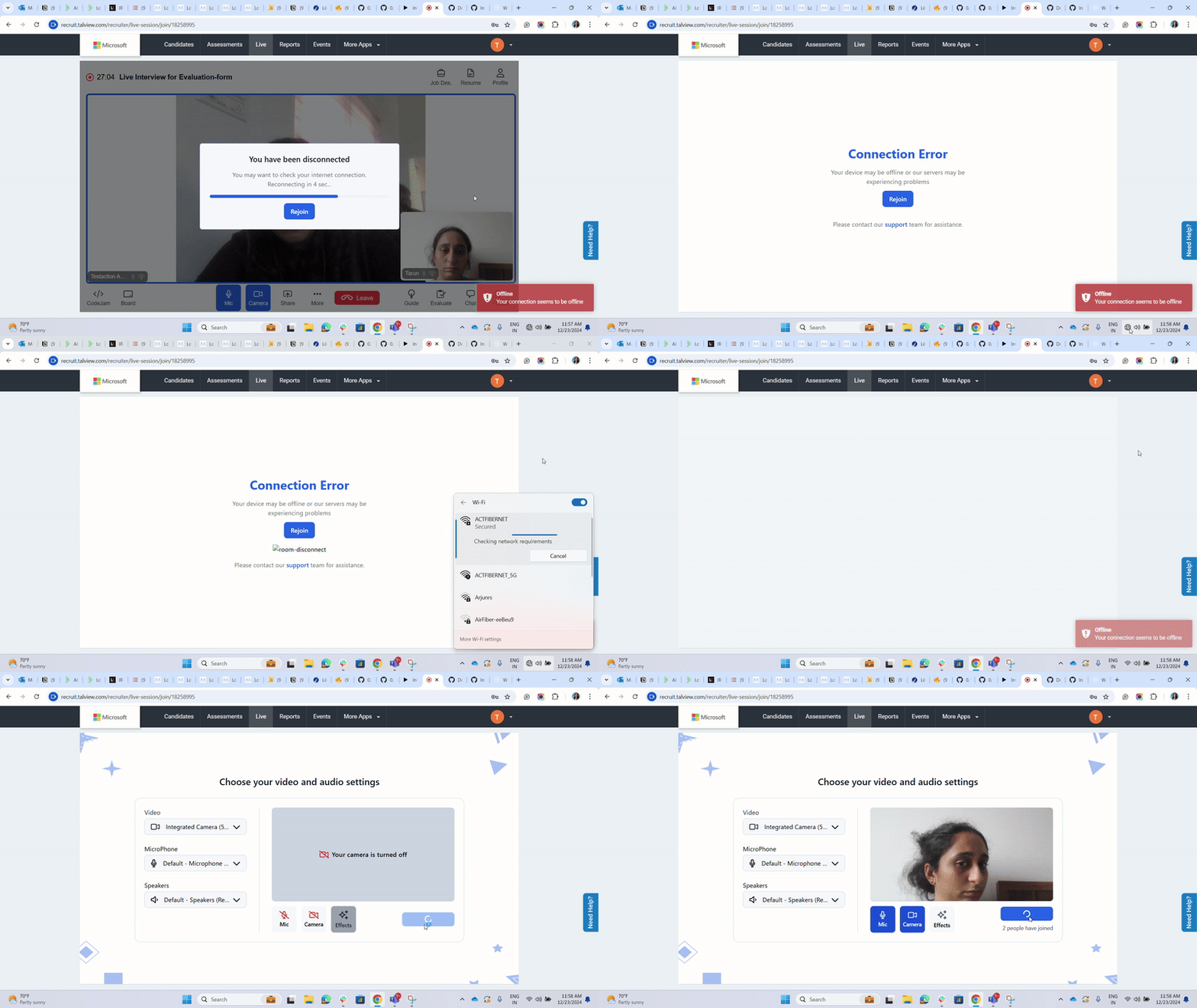
- Description: Ensure uninterrupted experience with clear error messages and a simple rejoin option when network issues occur.
- Benefits:
- Enhanced User Clarity: Instantly informs users about network disruptions with a clear error message.
- Streamlined Recovery: Offers a convenient “Rejoin” button to resume sessions quickly.
- Minimized Downtime: Saves time by allowing users to rejoin without restarting the application.
Enhancements
Hide Sample Run in CodeJam When Sample Input is Unavailable- Description: Automatically hides the sample run section in CodeJam for questions lacking sample input or entirely missing the question.
- Benefits:
- Improved Clarity: Avoids confusion for users when no sample input is provided.
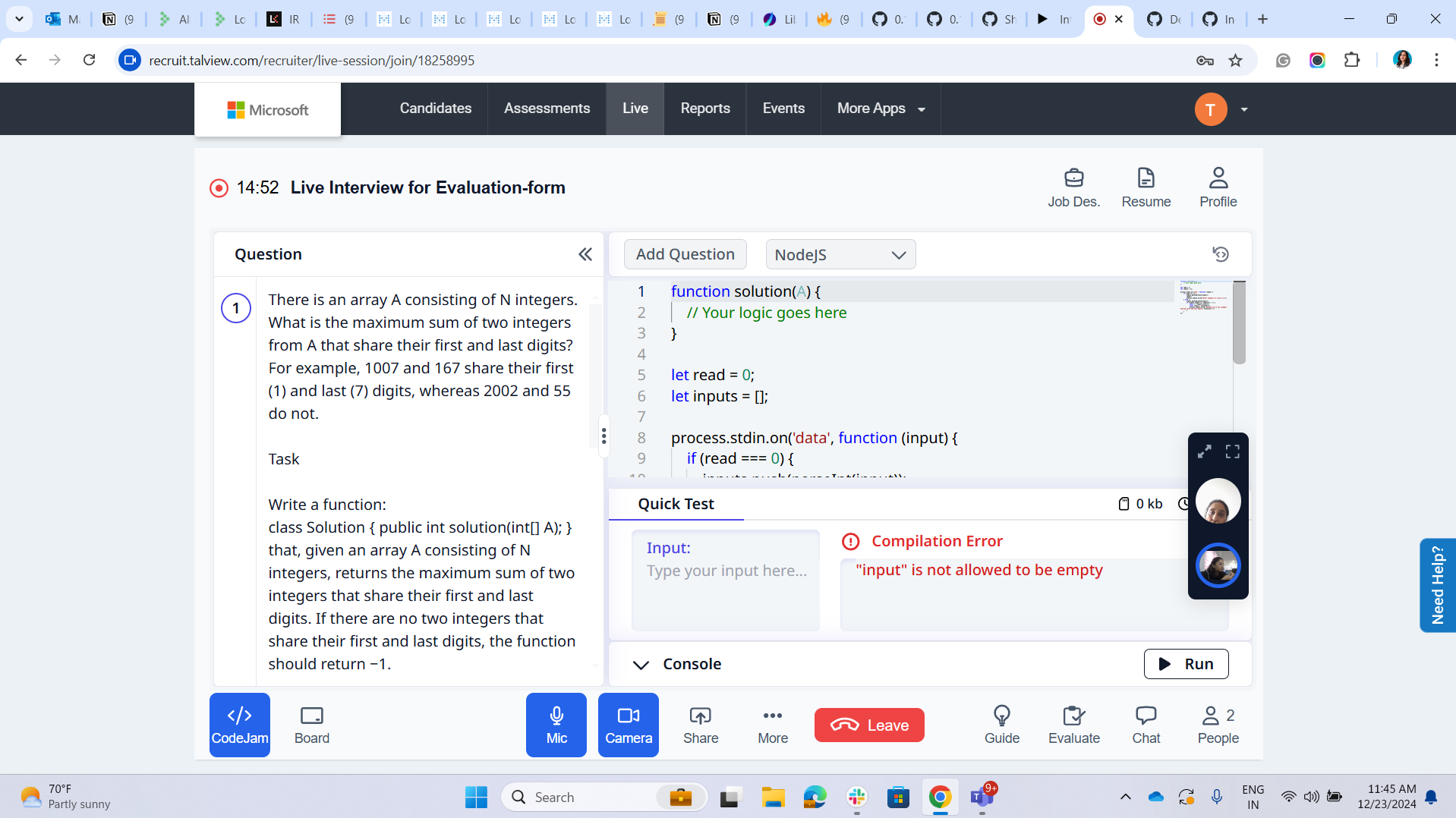
- Description: In codejam run and test code seamlessly in Quick Test mode even when no input is provided.
- Benefits:
- Enhanced Flexibility: Allows users to test code without requiring predefined input, accommodating broader use cases.
- Faster Debugging: Facilitates quick iterations and testing of code logic without additional setup.
- Improved Accessibility: Makes Quick Test more intuitive and user-friendly for a wide range of coding scenarios.
Bug Fixes
We have focused on closing the high-priority bugs listed below- After the video service provider fallback, the interviewer’s landing page showed the candidate as left, though they were in the meeting, with a small tile.
- Fixed meeting and section names in meeting when scheduled from WFT.
- Interview insights - WIP
- Playback of chat is released
- Secondary camera on interviewer request- WIP
- 360 degree environment check on interviewer request- WIP
Proctoring
Proctor NG
Enhancements- Redirecting users to the new playback view “is_ng_redirect” flag has been added, which if enabled as “true”, will redirect the users to the new playback view, without needing to check for the video streaming provider.
- Twilio reconciliation fix Issue: The Twilio Retrigger API is unable to process sessions exceeding its 27-track limit, resulting in missing tracks and failure to trigger compositions. Solution: To address this, tracks with no duration will be omitted from the composition request. Additionally, the API now requires 4 parameters to trigger the composition:
session_uuid,room_sid,is_talview_composition, anddevice_type- The
is_talview_compositionfield determines whether Talview’s composition engine or Twilio’s default composition engine will be used. - The
device_typefield distinguishes between primary and secondary devices in the session. For more details about the API change, refer to this document
- The
Attendee Ex
Enhancements- Retry logic on streaming disconnection
- The candidate will be presented with the “Retry Connection” page after being disconnected with video streaming provider.
- The candidate will only be allowed to click on the “Retry Connection” button a maximum of 3 times. If this reconnection attempts fails, their browser will refresh and the candidate is made to restart the pre flight checks.
In case of unstable internet connection, a candidate can proceed with giving their proctored exam, but the twilio videos might get missed.
Few sessions that have audio missing is being checked with livekit team.
Admin
UI Enhancements
- Upgraded Typography and Padding Enhanced typography and updated padding provide a cleaner and more user-friendly interface for forms.
- Row Span for Photo Capture Field The photo capture field now supports a row span feature, enabling dynamic size adjustments for improved layout flexibility.

New Features and Functionality
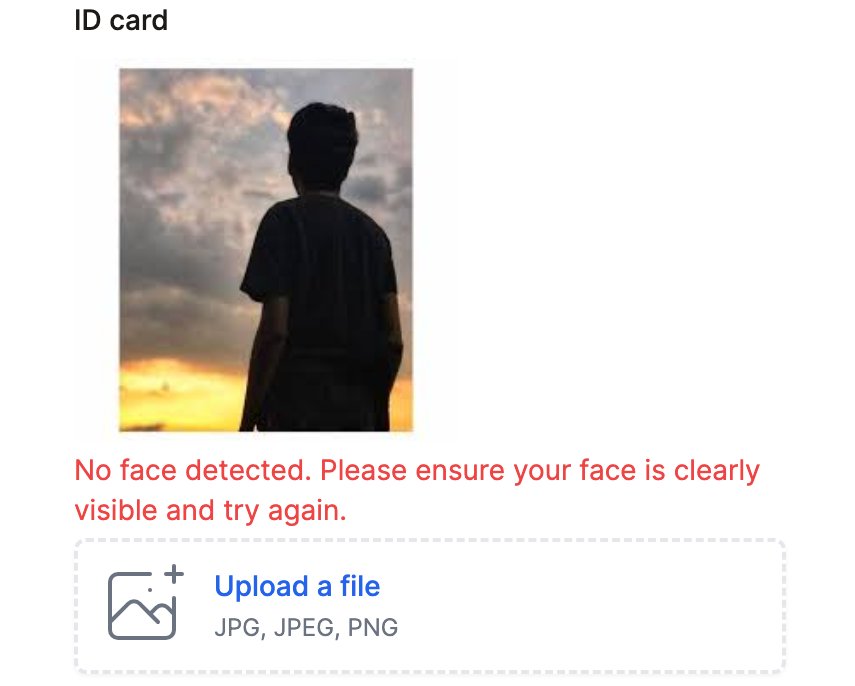
- “Photo” File Type in File Upload Block
- A new file type for the file upload block accepts JPG, JPEG, and PNG formats and validates uploads based on face detection.
- Includes a face authentication option, offering enhanced verification capabilities similar to the photo capture field.
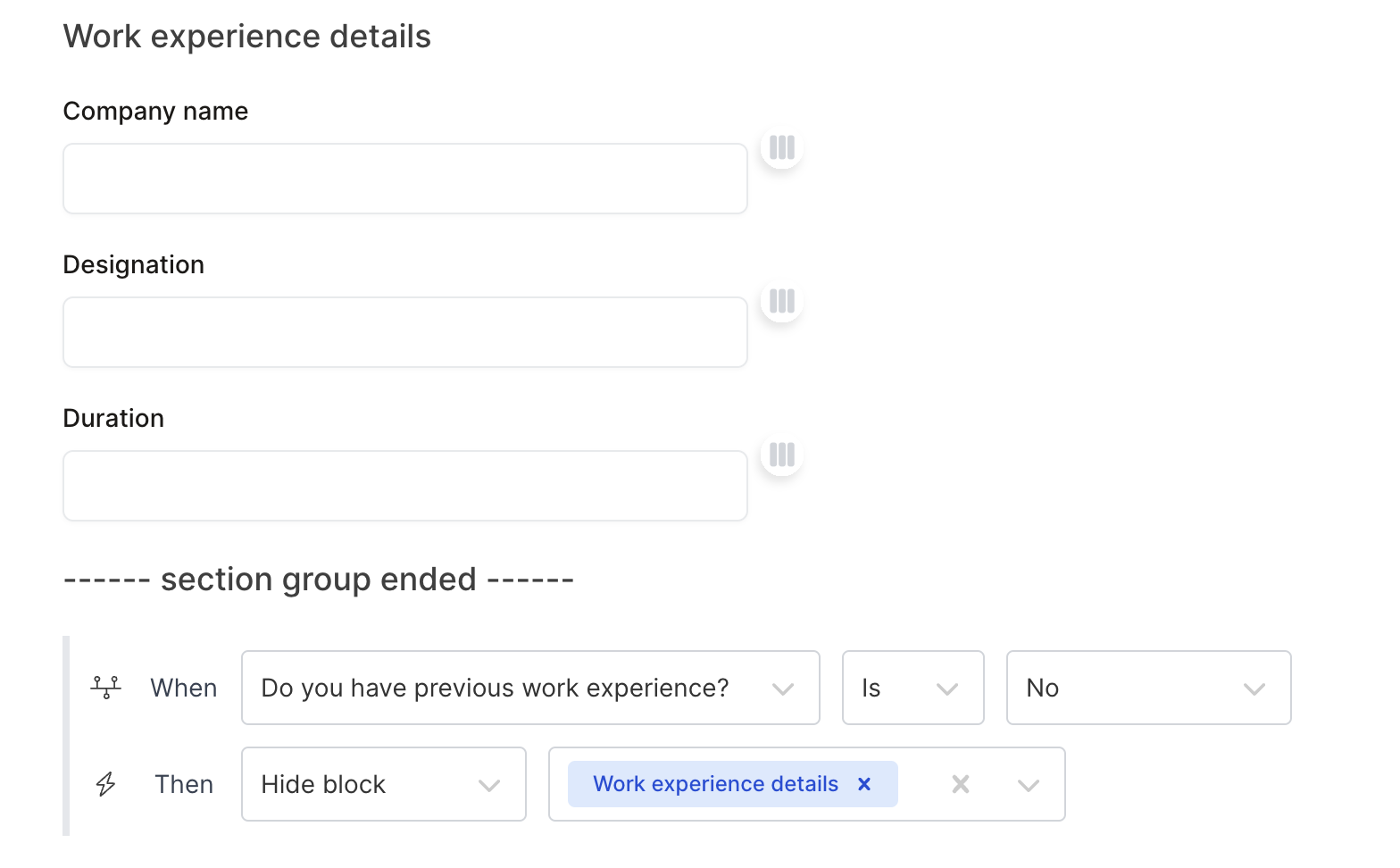
- Conditional Logic for Groups and Sections Conditional logic can now be applied to entire groups or sections of fields in a single action, eliminating the need to configure individual fields separately.