

Workflow Tools Enhancements
✅ New Features:
1. Candidate Filtering in “All” View
Description: You can now filter candidates directly in the All view for faster navigation across high-volume workflows. What’s New- Filter by step-level status to quickly locate candidates.
- Narrow search across all workflow stages without manual scanning.
- Improves navigation and reduces time spent searching.
2. Enhanced Public Registration Flows
Description: Better control and visibility for public registrations. What’s New- Set start/end dates for registration windows.
- Instant access to QR code + registration link from Edit Registration.
- Unpublish action moved to tertiary button for clarity.
3. Advanced Filters in Screening Step
Description: New filters inside the Screening step help recruiters locate the right candidates without scrolling through full lists. Available Filters- Candidate Status: Invited, In Progress, Completed, Evaluated, Selected, On Hold, Turned Down
- Evaluation Status: Not Evaluated, Select, Turn Down, Hold
- Added Date: Choose a specific date or a custom range
Interview Rooms Enhancements
🐞Bug Fixes
1️⃣ Issue: Ask AI prompts in Interview Builder were generated in JSON format instead of readable text Solution: Updated the system prompt so Ask AI prompts in Interview Builder are now generated in a proper, human-readable format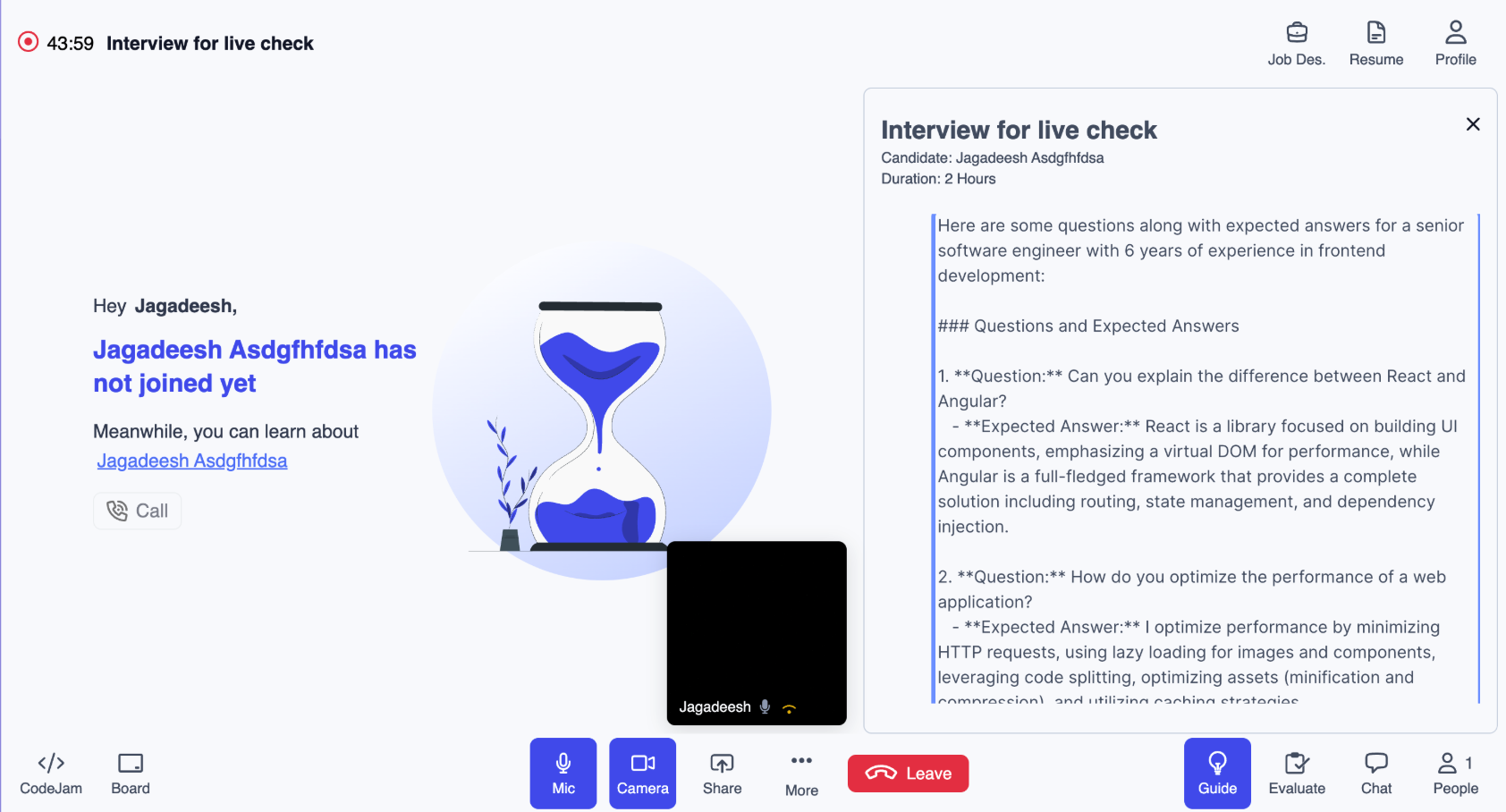
Proctoring Updates: Integrations [V7+]
⚙️ Enhancements
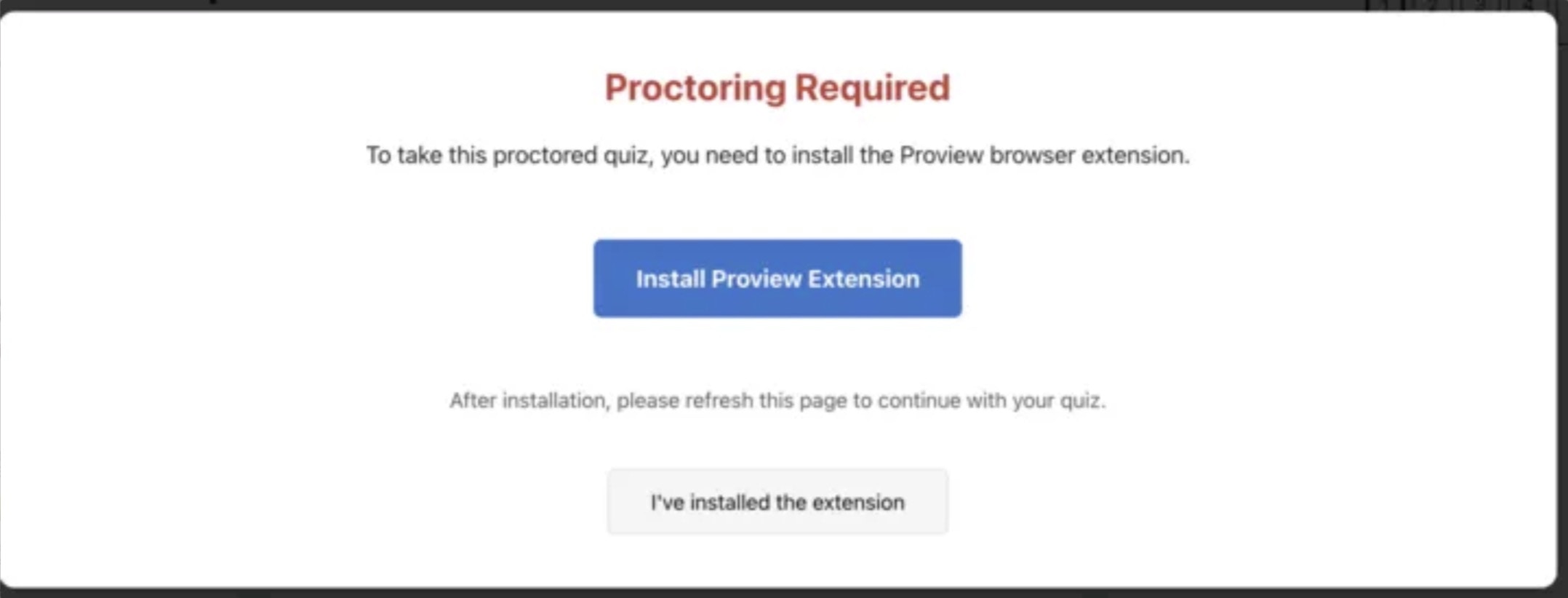
- Moodle 4.5 LMS | Extension Installation Validation
- Students are now prevented from accessing exams unless the Proview extension is installed.
- A clear warning is displayed explaining the requirement.
- A dedicated button takes students directly to the Chrome Web Store download page.
- Once installed, students simply refresh the page to continue.
- Full student experience is documented in the linked Moodle User Guide.
⚠️ Requires adding a custom validation script. Implementation guide available here:📸 Reference:
🐞 Bug Fixes
Moodle 4.5 LMS | Missing Student Details in Playback (Live Proctoring)- Issue: Student name and email were not appearing in playback for Live Proctoring attempts.
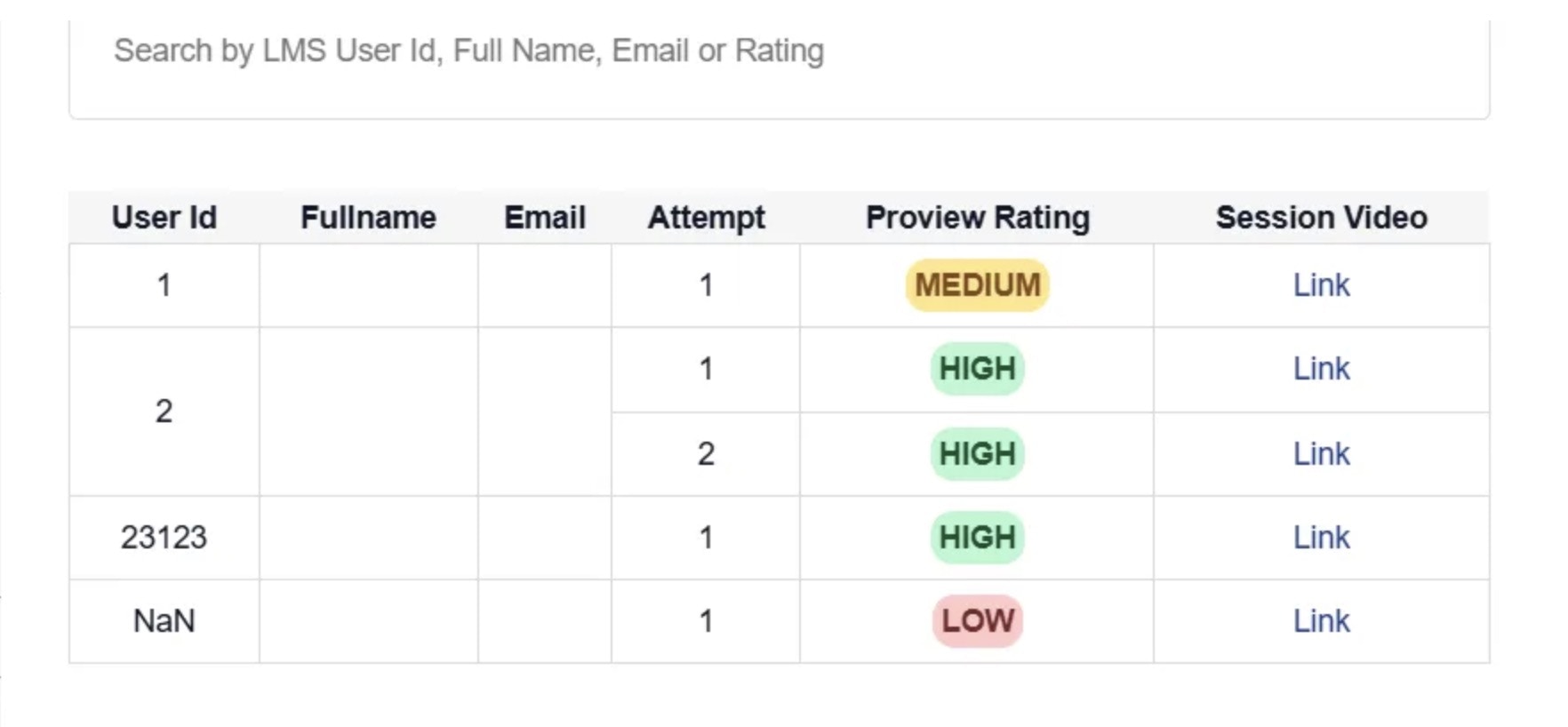
- Impact: Admins and reviewers could not identify candidates in playback records.
- Fix: Updated integration parameters to correctly fetch candidate details.
- Result: All session playback tables now show complete candidate information across all proctoring types.