

Candidate Experience Updates
✅ New Feature: Payment Enhancements
Description: We have refactored the scheduling flow where in the slot should only get confirmed once the payment has been received. Also, refactored the architecture to reduce the number of cases where the meeting stayed in draft state even after receiving the payment What’s New- Slot will not get scheduled if the payment goes in pending state. It will only get scheduled once the payment has been confirmed.
- Slot will change from draft to confirmed if the payment has been confirmed even when the candidate is not on the CX page.
- If the candidate abandons the flow and attempts to re-enter the flow, we will create a new transaction against the same order against their previously selected slot
- Candidate should be able to retry failed transactions against the same order
- If the transaction remains in pending state for very long, we will automatically cancel the transaction and allow them to pay again
Interview Rooms Enhancements
🐞Bug Fixes
1️⃣ Issue: Secondary Camera request was auto-triggered after a manually initiated 360° environment check. Solution: Updated the logic so the Secondary Camera auto-triggers only when the 360° environment check is system-initiated, not when requested manually by the interviewer. 2️⃣ Issue: When GrowthBook (GB) was enabled, all Insights tabs (Overview, Transcript, Speaker, etc.) were visible instead of restricting access. Solution: Updated the Insights view to show only the Verification tab along with video playback and hide the Overview, Transcript, and Speaker tabs when GB is enabled. 3️⃣ Issue: Background Effects were not supported for interviewers using Safari and Firefox browsers. Solution: Enabled Background Effects support for interviewers on Safari and Firefox, ensuring a consistent interview experience across browsers.Proctoring Updates:
1. Secure Browser
🆕 Feature
Improved Restricted Software Handling in Secure Browser for Mac OS With this update, Secure Browser now supports a more seamless experience in handling blocklisted applications on Mac OS as well.- When restricted software is detected, Secure Browser temporarily exits kiosk mode without closing.
- The test taker can open Activity Monitor, close the restricted applications, and return to Secure Browser.
- Once resolved, Secure Browser automatically switches back to kiosk mode, allowing the test taker to resume the test without restarting.
Note: When restricted applications are detected and kiosk mode is exited, Secure Browser does not pause the exam timer.
2. Proctor NG [V7+]
⚙️ Enhancements
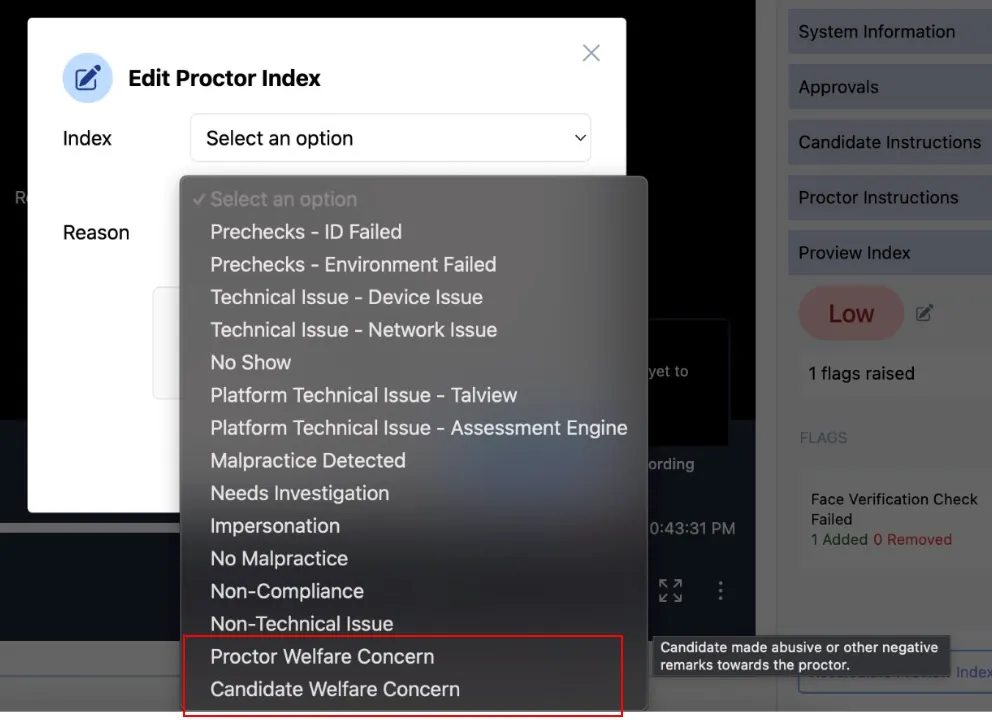
Welfare-Related Dispositions for Proview Index Updates You can now select welfare-related dispositions when modifying a session’s Proview Index. This helps reviewers understand sensitive situations and take appropriate follow-up actions.- Proctor Welfare Concern: Candidate made abusive or inappropriate remarks toward the proctor.
- Candidate Welfare Concern: Candidate showed signs of distress or potential risk and may require follow-up.
3. Integrations [V7+]
⚙️ Enhancements
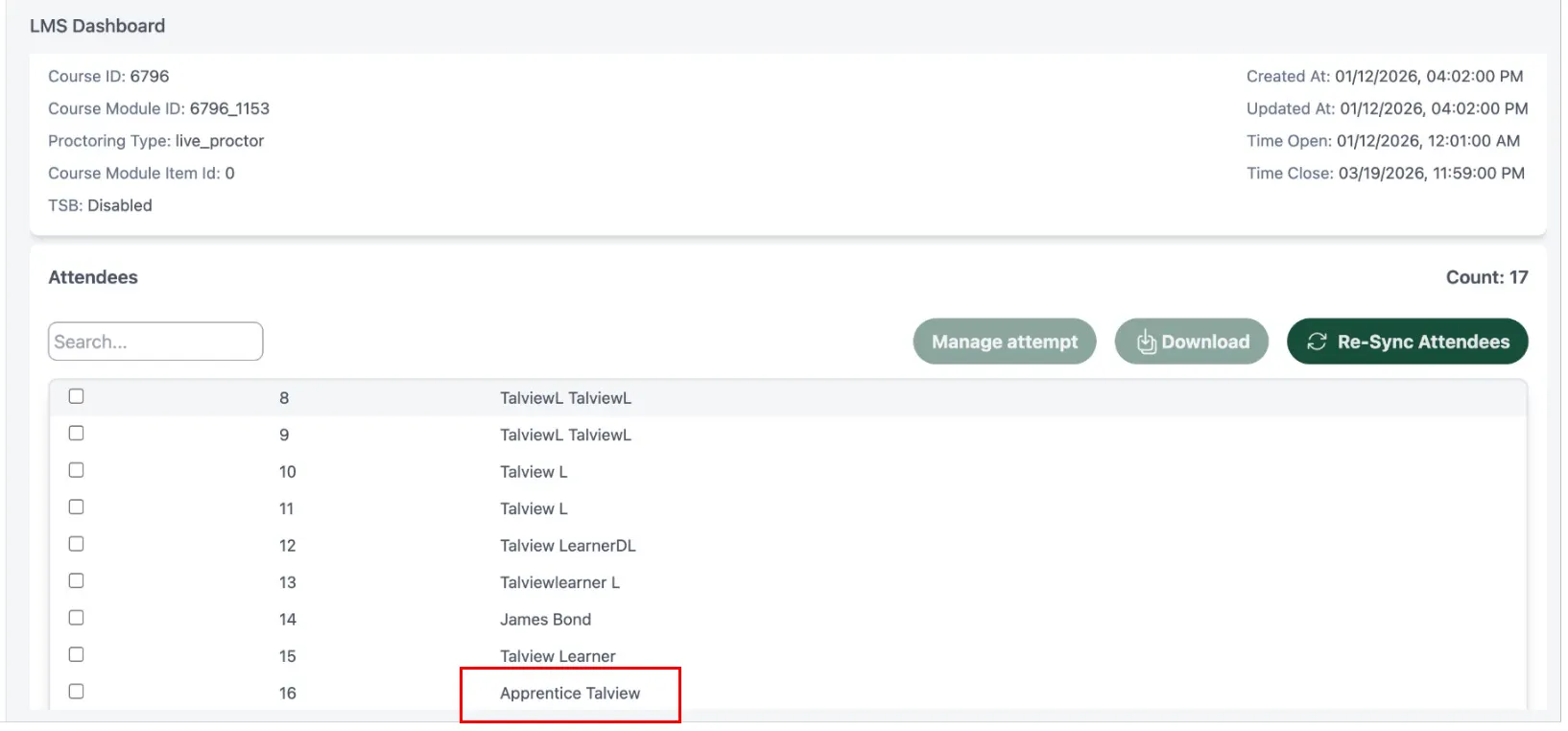
D2L LMS | Support for Apprentice Role as Test Taker- Apprentices can now attempt proctored quizzes, similar to Student and Learner roles.
- Apprentices are automatically included when syncing attendees from the LMS dashboard.
🐞 Bug Fixes
Secondary Camera Connection Screen Blocking Progress- Issue: Some candidates were unable to proceed after connecting their phone as a secondary camera during pre-flight checks.
- Impact: Candidates were blocked from starting their exams.
- Fix: Updated the LMS integration to correctly detect and validate secondary camera connections.
- Result: Candidates can now proceed smoothly once their phone is connected