Understanding candidate header in session summary report
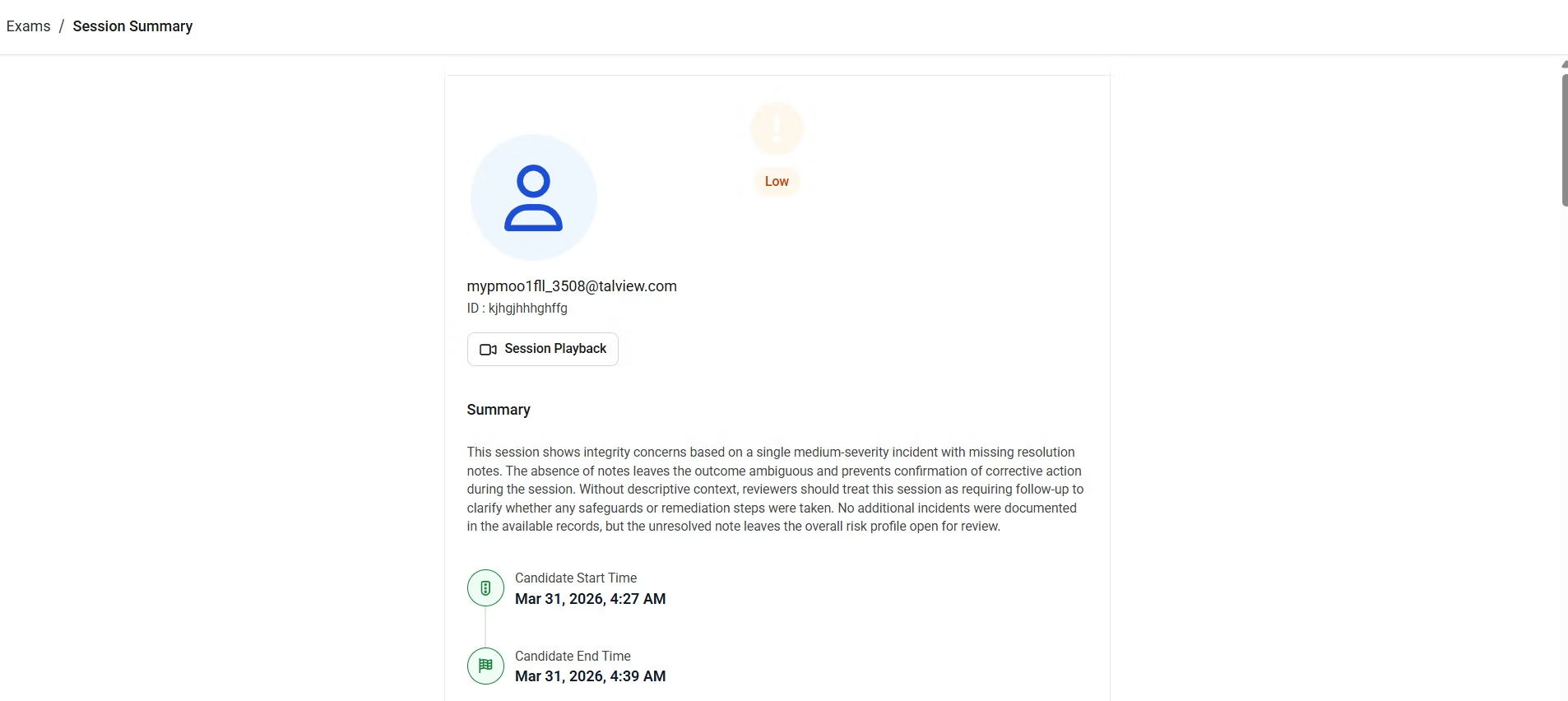
The candidate header appears at the top of every session summary report and gives reviewers an at-a-glance overview of who the candidate is and how their session went.In this article, you will learn what each element in the candidate header means so you can orient yourself quickly before reviewing the details of a session.
The overall risk level of the session: Needs Review (requires attention) Low (higher risk of integrity incidents) High (lower risk of integrity incidents)
Candidate photo
The candidate’s base image from their first proctored session, used to confirm identity
Candidate name
The candidate’s full name as registered for the exam
Candidate ID
The ID issued by the candidate’s exam organization, also referred to as the external candidate ID
Session playback
A link to open the full session recording
AI-generated summary
A concise summary of candidate verification outcomes, notable incidents, and any unusual behaviors observed during the session
Candidate start and end time
The time the candidate began and completed their proctored exam session
Additional TipsThe session integrity outcome banner is the first thing to check when opening a report. It gives an immediate signal of how much attention the session may need before reviewing individual incidents.
Was this page helpful?
Assistant
Responses are generated using AI and may contain mistakes.