

Step-by-step guide
1. Click Preview Inside the Form Editor, click Preview at the top right. The Preview Web page opens, showing your form in web view by default. 2. Review the web view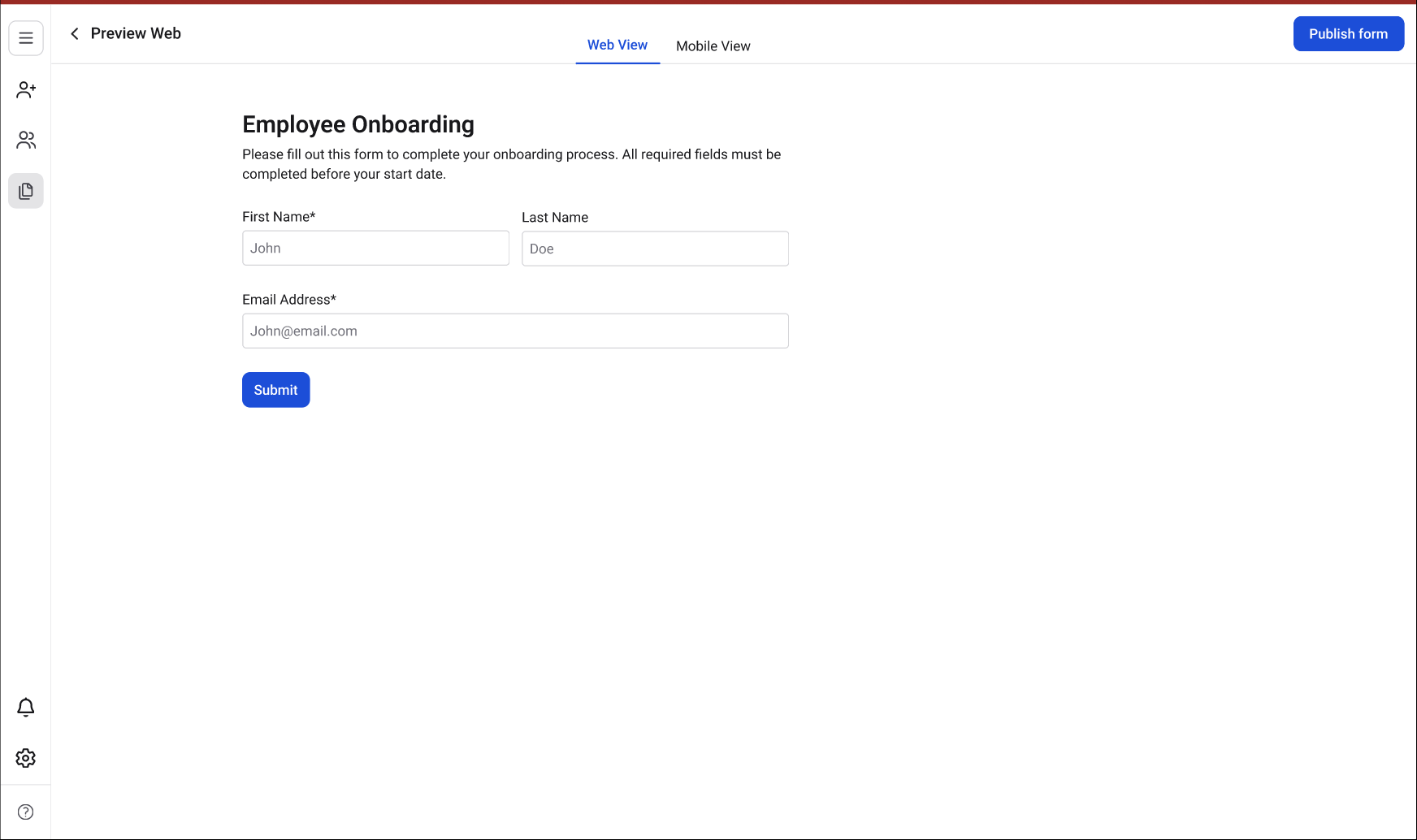
- All fields are visible and in the correct order.
- Field labels and placeholder text are accurate.
- Required fields are marked with an asterisk (*).
- The overall layout and spacing look as expected.
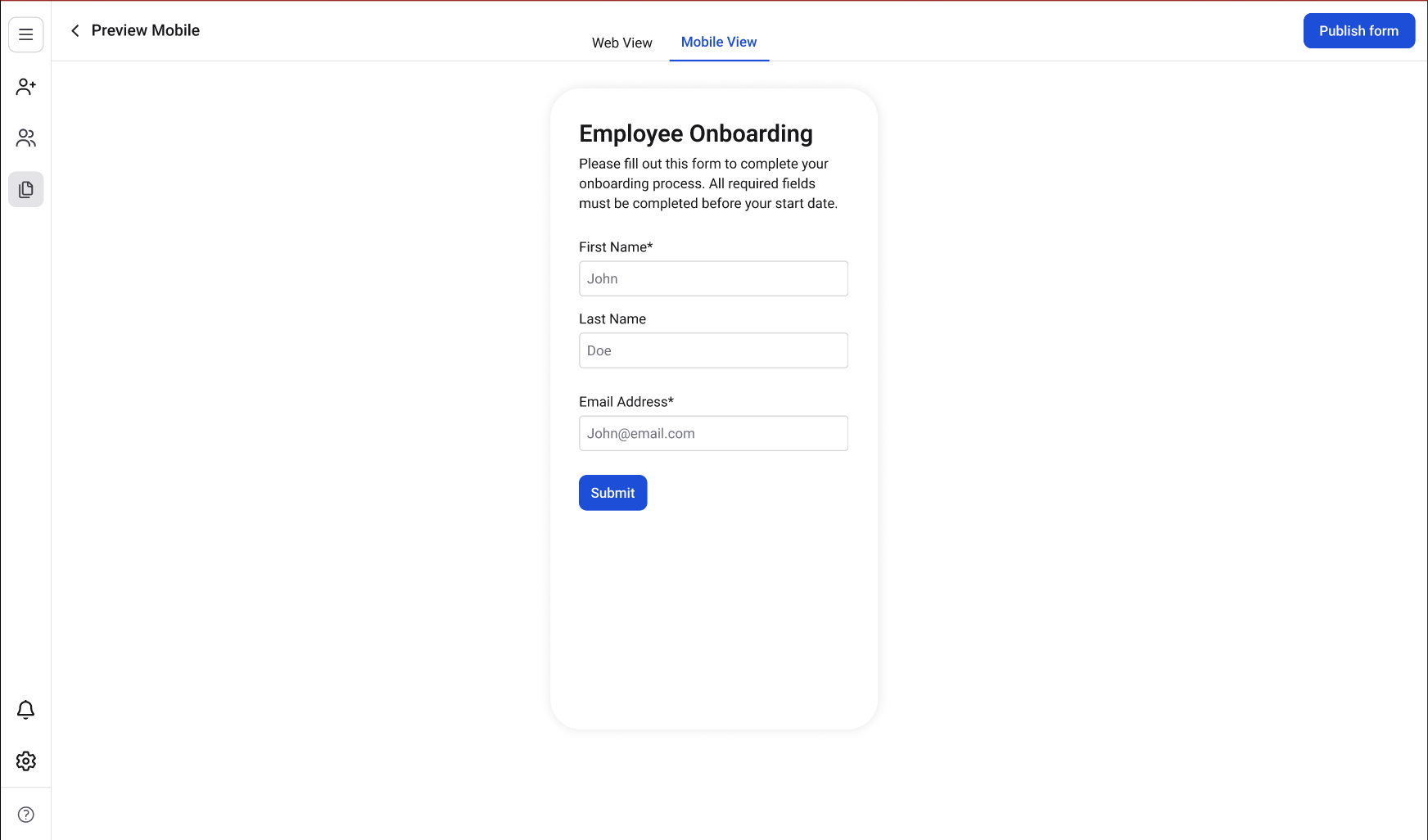
- All fields stack correctly and are readable on a narrower screen.
- Field widths adjust properly.
- Buttons are large enough to tap.
- The form does not require horizontal scrolling.