

Steps
-
Receive the Post-Interview Email
Once an interview concludes, the system automatically sends an email to all interviewers who were part of the online session.
The subject line will typically read:
“Interview Summary – [Role Title]”
-
View Interview Details
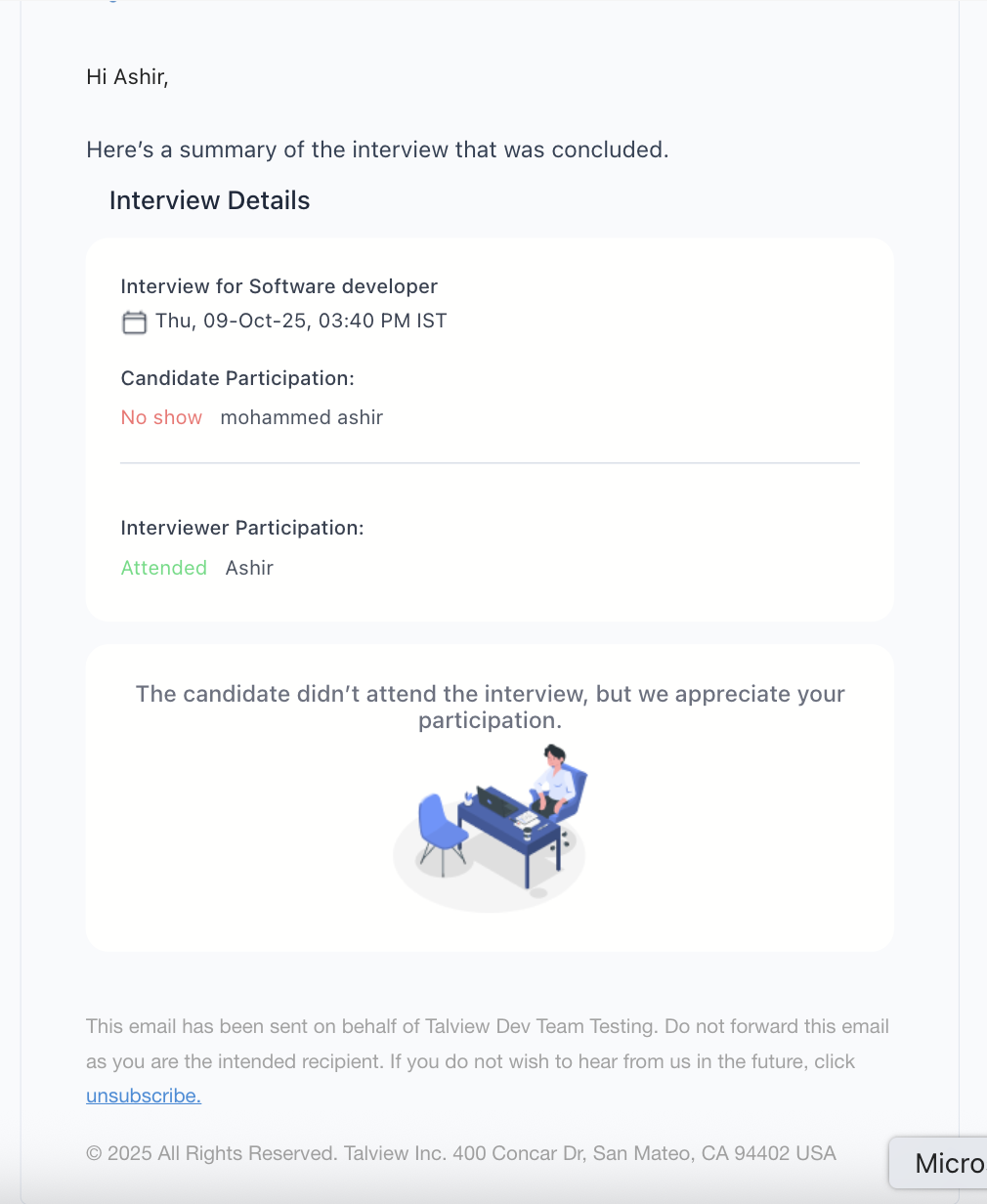
Inside the email, you will find a section titled Interview Details, which includes:
- Interview Title and Schedule – The job role (e.g., Software Developer) and interview time/date.
- Candidate Participation – Indicates whether the candidate Attended or was a No-Show.
- Interviewer Participation – Confirms your attendance status.
-
Check Evaluation Details or Action Link
- If you have already submitted your evaluation, the email will display a summary of your evaluation details directly within the email body.
-
If you have not yet submitted your evaluation, the email will include a link that redirects you to the evaluation form in Talview.
This helps you complete pending feedback quickly without needing to log into the platform manually.
-
Candidate Attendance Scenarios
- Candidate Attended: You’ll see candidate and interviewer participation details, and if applicable, the evaluation summary.
- Candidate No-Show: The email will indicate that the candidate did not attend, along with a message appreciating your participation.