Before you begin
- Resume fitment must be configured for your workflow. If it isn’t enabled, fitment scores won’t appear for candidates.
- You need to be a Recruiter or Master Recruiter with access to the relevant workflow.
What is Resume fitment?
Resume fitment is an AI-generated score that evaluates how closely a candidate’s resume aligns with the job description attached to the workflow. The system analyses the candidate’s qualifications, experience, and skills against the role requirements and assigns a fitment category. The fitment categories are:- Strong Fit - the candidate’s resume closely matches the job requirements
- Potential Fit - the candidate’s resume partially aligns with the job requirements
- Low Fit - the candidate’s resume has significant gaps against the job requirements
- Not Generated - the system was unable to generate a fitment score for this candidate
- Evaluating - the system is currently processing the candidate’s resume for fitment
- Failed - the fitment evaluation encountered an error and could not be completed
- Pending - the candidate’s resume is queued for fitment evaluation
Where to view resume fitment scores?
You can view a candidate’s resume fitment score from two places within a workflow. From the All tab: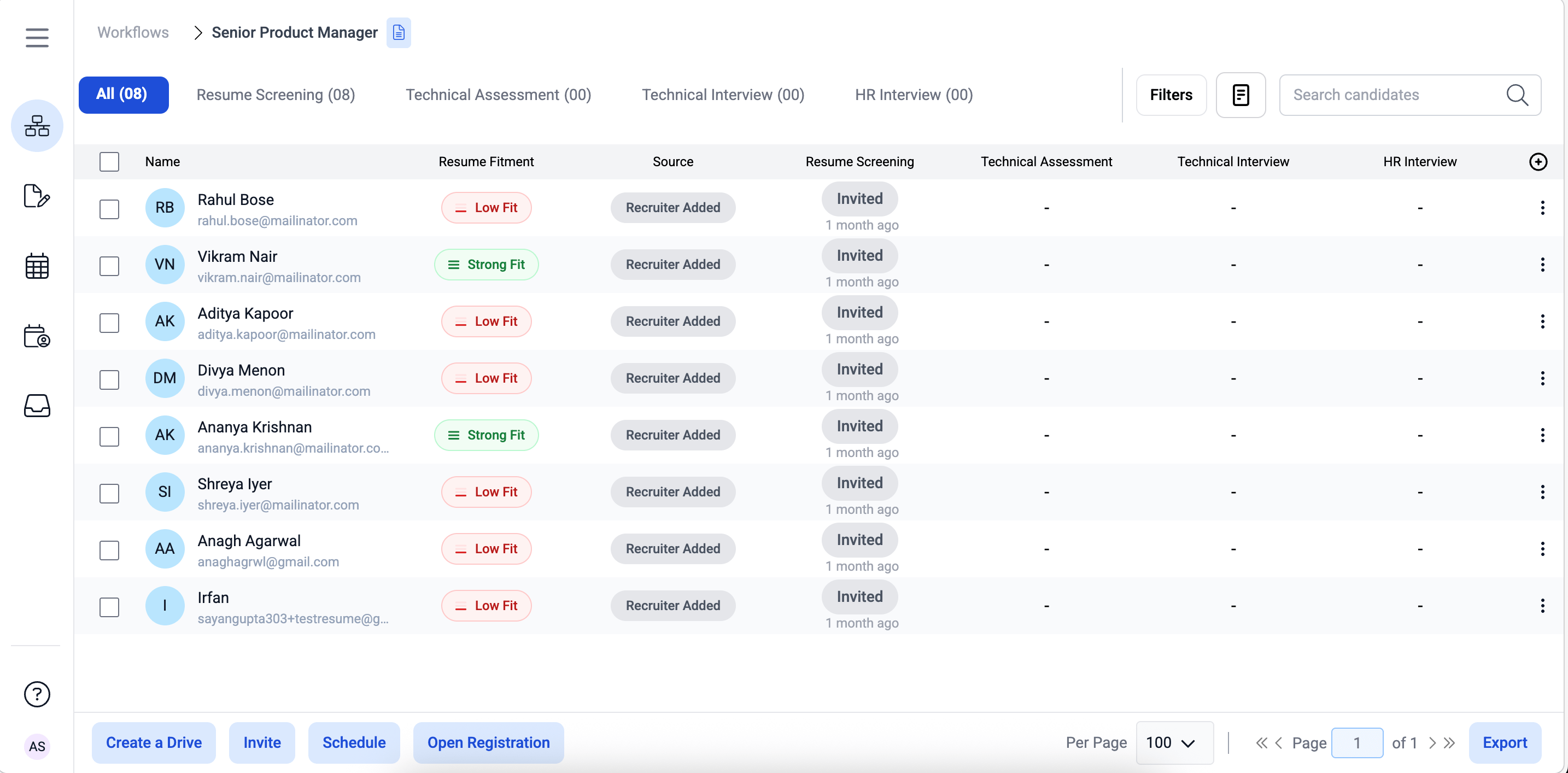
- Go inside the workflow.
- The All tab displays all candidates across every step. The Resume Fitment column shows each candidate’s fitment category.
Note: In the All tab, clicking on the fitment score doesn’t open the candidate’s details. The fitment score is visible here for a quick overview only.From the Screening step tab:
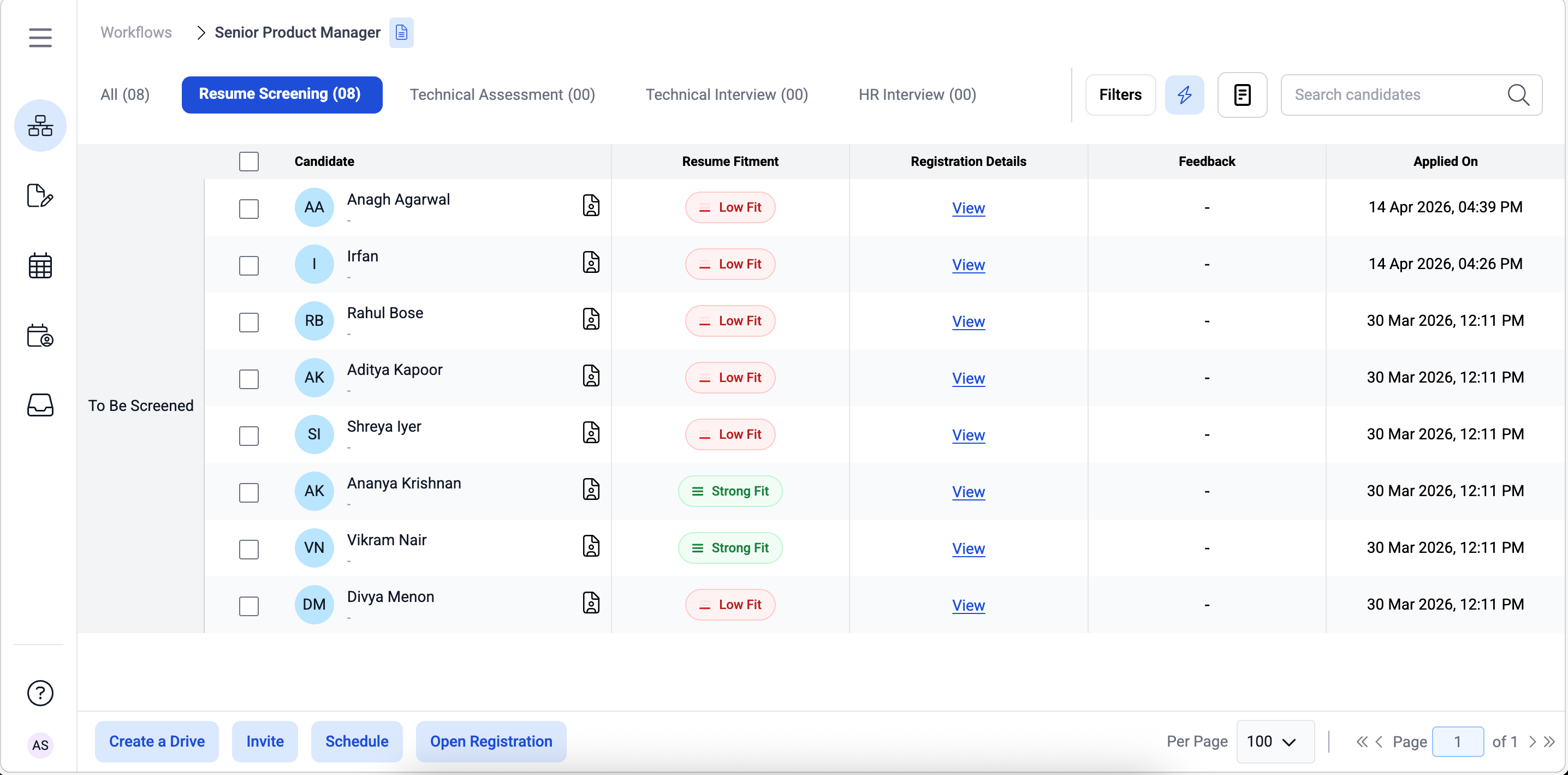
- Go inside the workflow and navigate to the Screening step tab.
- The fitment score is displayed next to each candidate in the list.