

The Next 14 Days Distribution column appears in the Centers list view of the In-Center Dashboard. It provides a quick visual summary of how busy each center is expected to be over the upcoming two weeks. This column helps administrators quickly assess upcoming booking activity and center load without opening the center details.

What the Next 14 Days Distribution Shows
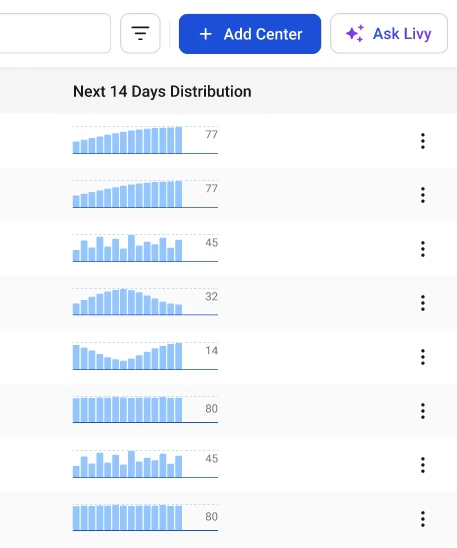
Image The Next 14 Days Distribution column displays a small visual indicator (sparkline or mini activity graph) representing the number of candidate bookings scheduled at that center over the next 14 days. Each segment in the graph corresponds to a specific day within the 14-day period. This allows administrators to immediately identify:
  • Days with higher candidate bookings
  • Days with lower activity
  • Days with no scheduled exams

Understanding the Distribution Graph

The activity bars or indicators reflect relative booking volume. For example:
  • Higher bars or peaks indicate more candidates scheduled on that day.
  • Lower bars indicate fewer bookings.
  • Flat or empty sections indicate no scheduled exams.
This visual representation helps users quickly understand how evenly candidate bookings are spread across the next two weeks.

Benefits of the Next 14 Days Distribution

The Next 14 Days Distribution column helps administrators:
  • Quickly identify busy exam days
  • Monitor upcoming center workload
  • Detect underutilized days
  • Plan staffing and proctor allocation
  • Anticipate capacity requirements
Instead of opening each center individually, administrators can use this column to compare center activity levels at a glance.
When to Use This ViewAdministrators typically refer to the Next 14 Days Distribution when they need to:
  • Review upcoming exam demand
  • Decide which centers need additional staff
  • Monitor candidate booking trends
  • Ensure centers are not overbooked
It acts as a quick operational snapshot of upcoming center activity.