> ## Documentation Index
> Fetch the complete documentation index at: https://docs.talview.com/llms.txt
> Use this file to discover all available pages before exploring further.
# December 2025 Release Updates
The December 2025 release introduces a range of enhancements and fixes designed to **streamline recruiter workflows, improve interview reliability, and strengthen proctoring integrations**. These updates set the foundation for a more execution-driven 2026, with continued focus on quality, accountability, and customer outcomes.
## Workflow Tools Enhancements
### ✅ **New Features:**
### 1. Candidate Filtering in “All” View
**Description:**
You can now filter candidates directly in the **All** view for faster navigation across high-volume workflows.
**What’s New**
* Filter by **step-level status** to quickly locate candidates.
* Narrow search across all workflow stages without manual scanning.
* Improves navigation and reduces time spent searching.
**Internal Notes:** Feature is Beta; enable via GrowthBook flag per tenant.
**Demo:**
### 2. Enhanced Public Registration Flows
**Description:**
Better control and visibility for public registrations.
**What’s New**
* Set **start/end dates** for registration windows.
* Instant access to **QR code + registration link** from Edit Registration.
* **Unpublish** action moved to tertiary button for clarity.
**Internal Notes:** Feature accessible from Public Registration settings.
**Demo:**
### 3. Advanced Filters in Screening Step
**Description:**
New filters inside the Screening step help recruiters locate the right candidates without scrolling through full lists.
**Available Filters**
* **Candidate Status:** Invited, In Progress, Completed, Evaluated, Selected, On Hold, Turned Down
* **Evaluation Status:** Not Evaluated, Select, Turn Down, Hold
* **Added Date:** Choose a specific date or a custom range
**Benefit:** Faster review, quicker decisions, reduced manual scanning.
**Demo:**
***
## Interview Rooms Enhancements
### **🐞Bug Fixes**
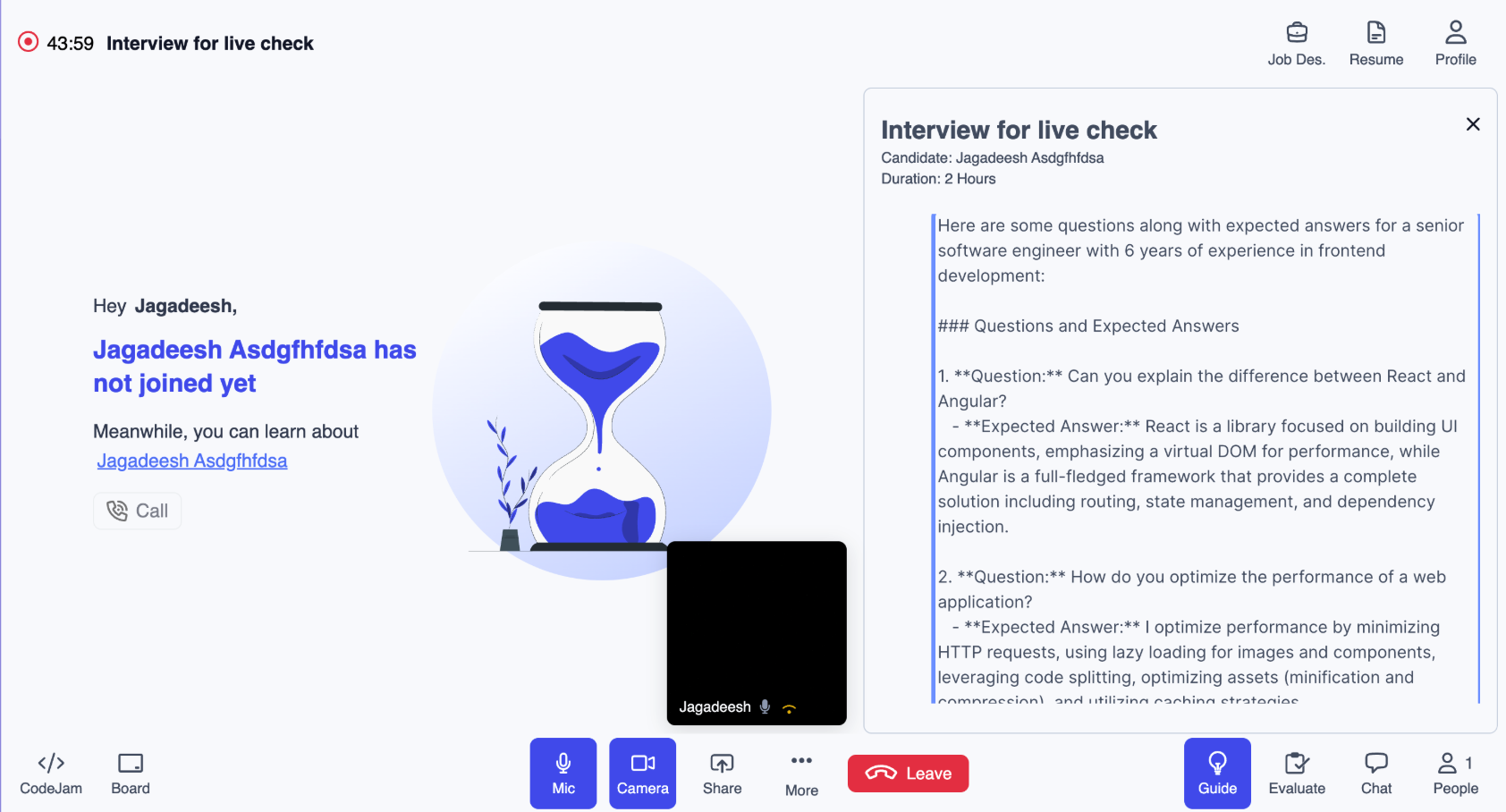
1️⃣ **Issue:** Ask AI prompts in Interview Builder were generated in JSON format instead of readable text
**Solution:** Updated the system prompt so Ask AI prompts in Interview Builder are now generated in a proper, human-readable format
 2️⃣ **Issue:** Incorrect toaster message **“Environment check incomplete”** was displaying in the meeting environment for interviewer while the 360 environment check was in progress
**Solution:** Updated the toaster messaging logic to show the correct status when the **"Environment check progress”**
3️⃣ **Issue:** Tooltip was not displayed when hovering over the 360° button in recording section in work flow tools when no images were captured
**Solution:** Added a tooltip that displays “No images captured” when hovering over the 360° button recording section in work flow tools
4️⃣ **Issue:** Whiteboard collaboration was not working in-meeting when adding images using the Image tool
**Solution:** Fixed the issue to ensure whiteboard collaboration works correctly when images are added via the Image tool during meetings
***
## Proctoring Updates: Integrations \[V7+]
### **⚙️ Enhancements**
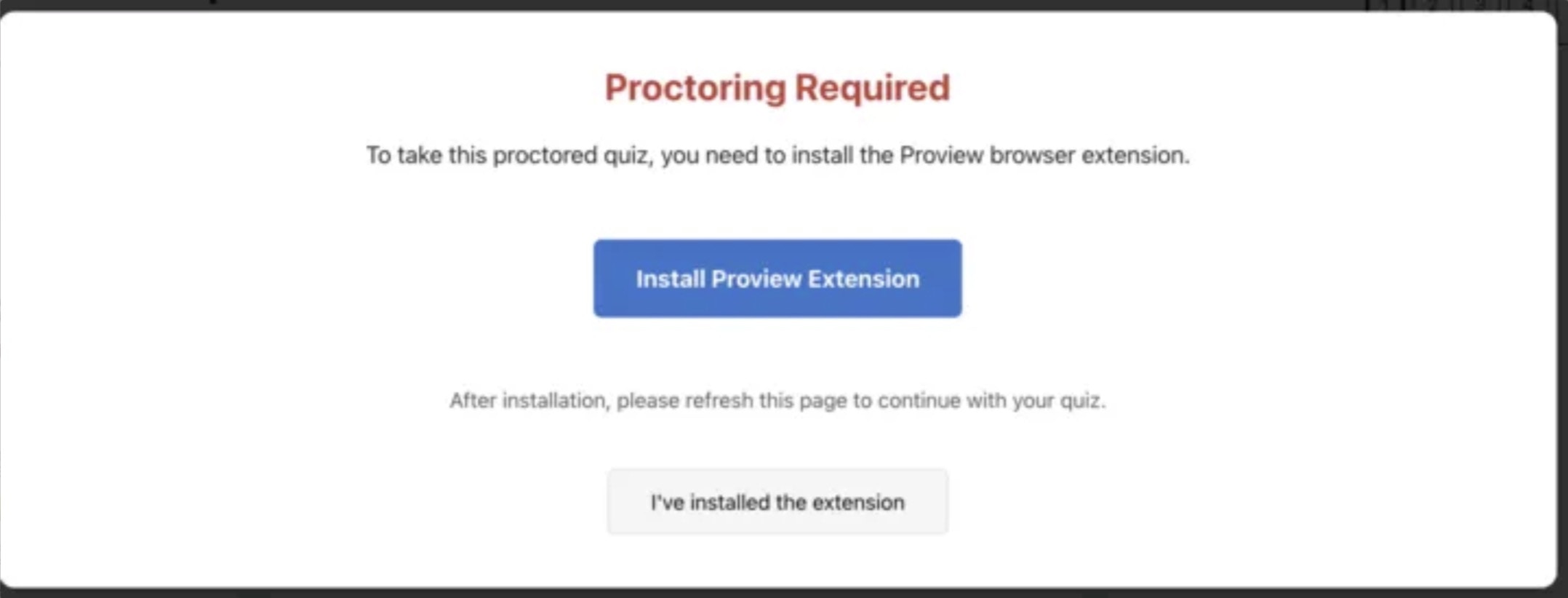
1. **Moodle 4.5 LMS | Extension Installation Validation**
* Students are now **prevented from accessing exams** unless the Proview extension is installed.
* A clear warning is displayed explaining the requirement.
* A dedicated button takes students directly to the [**Chrome Web Store download page.**](https://chromewebstore.google.com/detail/proview-proctoring/doblkllolfingbjkbmelgiepdggnbmhi)
* Once installed, students simply refresh the page to continue.
* Full student experience is documented in the [linked Moodle User Guide](https://www.notion.so/2403461472f380b99cb9c0f66bc07731?pvs=21).
> ⚠️ Requires adding a custom validation script. Implementation guide available [here](https://www.notion.so/Moodle-LMS-4-5-Installation-Guide-2403461472f3800e800bcb1860ece3d1?pvs=21):
**📸 Reference**:
2️⃣ **Issue:** Incorrect toaster message **“Environment check incomplete”** was displaying in the meeting environment for interviewer while the 360 environment check was in progress
**Solution:** Updated the toaster messaging logic to show the correct status when the **"Environment check progress”**
3️⃣ **Issue:** Tooltip was not displayed when hovering over the 360° button in recording section in work flow tools when no images were captured
**Solution:** Added a tooltip that displays “No images captured” when hovering over the 360° button recording section in work flow tools
4️⃣ **Issue:** Whiteboard collaboration was not working in-meeting when adding images using the Image tool
**Solution:** Fixed the issue to ensure whiteboard collaboration works correctly when images are added via the Image tool during meetings
***
## Proctoring Updates: Integrations \[V7+]
### **⚙️ Enhancements**
1. **Moodle 4.5 LMS | Extension Installation Validation**
* Students are now **prevented from accessing exams** unless the Proview extension is installed.
* A clear warning is displayed explaining the requirement.
* A dedicated button takes students directly to the [**Chrome Web Store download page.**](https://chromewebstore.google.com/detail/proview-proctoring/doblkllolfingbjkbmelgiepdggnbmhi)
* Once installed, students simply refresh the page to continue.
* Full student experience is documented in the [linked Moodle User Guide](https://www.notion.so/2403461472f380b99cb9c0f66bc07731?pvs=21).
> ⚠️ Requires adding a custom validation script. Implementation guide available [here](https://www.notion.so/Moodle-LMS-4-5-Installation-Guide-2403461472f3800e800bcb1860ece3d1?pvs=21):
**📸 Reference**:
 ### **🐞 Bug Fixes**
**Moodle 4.5 LMS | Missing Student Details in Playback (Live Proctoring)**
* **Issue:** Student name and email were not appearing in playback for Live Proctoring attempts.
### **🐞 Bug Fixes**
**Moodle 4.5 LMS | Missing Student Details in Playback (Live Proctoring)**
* **Issue:** Student name and email were not appearing in playback for Live Proctoring attempts.
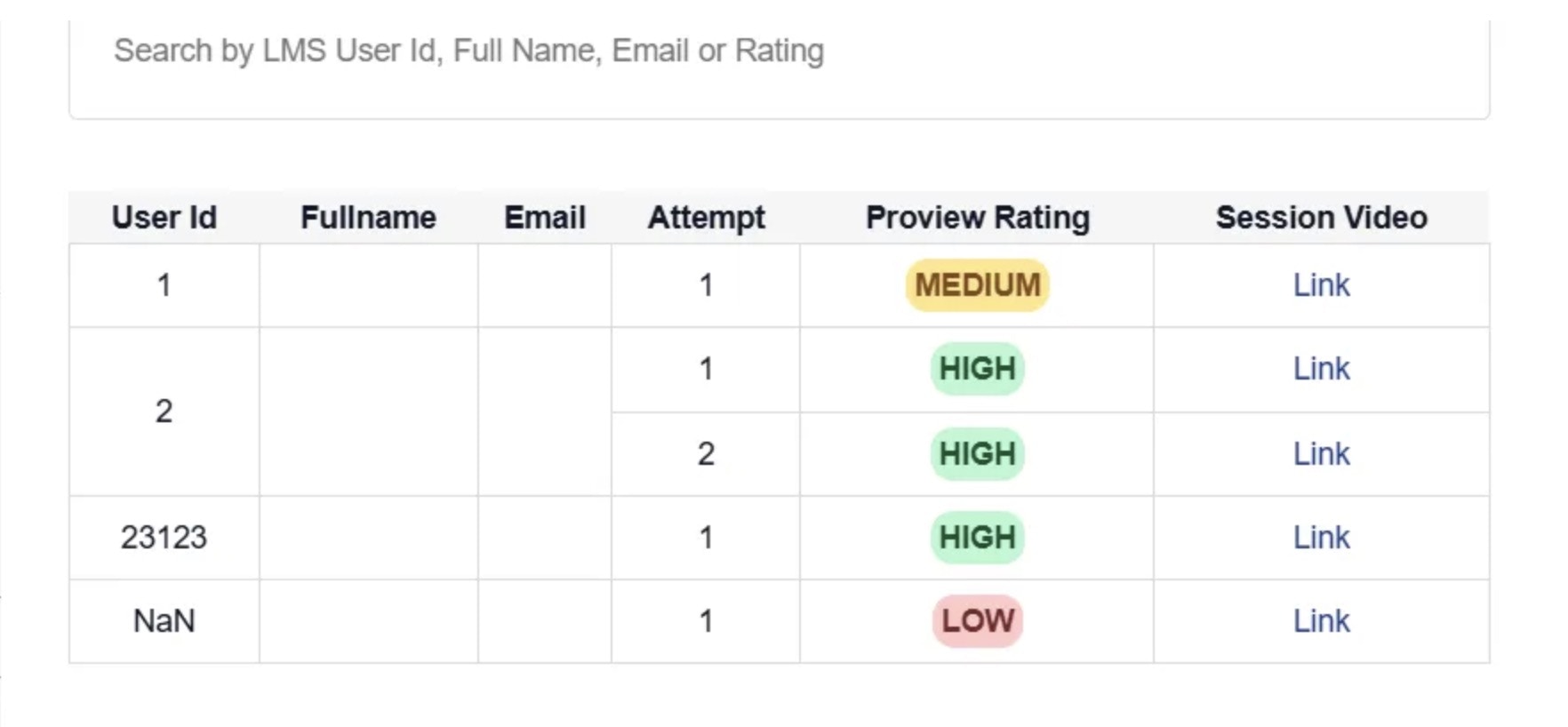 * **Impact:** Admins and reviewers could not identify candidates in playback records.
* **Fix:** Updated integration parameters to correctly fetch candidate details.
* **Result:** All session playback tables now show complete candidate information across **all proctoring types**.
* **Impact:** Admins and reviewers could not identify candidates in playback records.
* **Fix:** Updated integration parameters to correctly fetch candidate details.
* **Result:** All session playback tables now show complete candidate information across **all proctoring types**.