> ## Documentation Index
> Fetch the complete documentation index at: https://docs.talview.com/llms.txt
> Use this file to discover all available pages before exploring further.
# August 2025 Release Updates
> Stay updated with the latest features and enhancements rolled out in August 2025 across Talview’s Orchestration Platform (TOP) – including Workflow Tools, Candidate Experience, Interview Rooms, and Proview (Proctoring)
## 🔧 Workflow Tools & Candidate Experience Updates
### **Workflow Tools**
1. **Viewing the Proview video and index**
Recruiters and hiring managers (evaluators) can now view **Proview session ratings and playback** within Workflow Tools, enabling them to review candidate behavior during proctored assessments. This added visibility ensures fair evaluations, strengthens assessment integrity, and supports more informed hiring decisions.
Check it out below:
**Recruiter experience:**
**Evaluator experience**:
### **Candidate Experience**
1. **Pre-Assessment Candidate Authentication**
We’ve introduced **face capture and authentication** before candidates begin their assessments in the new test-taker experience, ensuring that face authentication is done before the candidate starts the assessment. This enhancement strengthens assessment integrity, prevents impersonation risks, and gives recruiters and evaluators greater confidence in the authenticity of results, all while keeping the candidate experience smooth and secure.
Check it out below:
2. **Payment Enhancements:**
\*\*Change meeting status to confirmed before payment is completed \*\*
1. To address the issue of payment completed but meeting status not confirmed, we will be saving the meeting status in the system even before the payment is completed
2. The appointment confirmation notification will only be sent to the candidate when the transaction is complete
**Auto-cancel when payment is not confirmed and the slot is in \<24 hours**
1. When the time to slot ≤ 24 hours, and the payment is not yet confirmed, the slot will be auto-cancelled by the system, and the candidate will be notified
2. If the payment is received after the cancellation, the amount will be refunded to the candidate
## 🎤 Interview Rooms Updates
### Feature Enhancement
**Request Recording Consent from Candidates**
**Description**: Enable interviewers to request and capture candidates’ consent before starting a recording, ensuring transparency and compliance.
**Benefits**:
* Builds trust by keeping candidates informed
* Ensures compliance with data privacy and legal standards
* Reduces the risk of disputes regarding recording usage
* Provides clear documentation of candidate consent
**Recording Consent Disabled by Organization Policy**
**Description**: When organizational policy restricts recordings, candidates & interviewers are notified that recording is disabled for their interview.
**Benefits**:
* Ensures adherence to company and regulatory policies
* Provides transparency to candidates upfront
* Prevents unauthorized or accidental recordings
* Reinforces candidate trust and organizational credibility
***
## Assessment Engine Updates
### 1. CodeSolo Programming Integration
The Assessment Engine now seamlessly integrates with CodeSolo programming assessments. This allows coding tests to leverage the full library of coding questions within the Assessment Engine’s CodeSolo section. Previously, engineers manually added questions to the backend, which was time-consuming. Now, content managers can directly upload questions and test cases, simplifying the workflow and reducing setup time.
**Benefits**:
* Empowers content managers with greater control and flexibility.
* Accelerates question creation and reduces dependency on engineering resources.
### 2. Real-Time Filter List Enhancements - Question Bank Management
The Question Bank Management system now features real-time filter updates. Previously, users had to manually clear filters to reflect changes in the question bank. This improvement ensures that filters (e.g., question status, category, or difficulty) update instantly, providing a smoother and more efficient user experience.
**Benefits**:
* Saves time by eliminating manual filter resets.
* Enhances usability with immediate visibility of changes.
***
## 👥 Proview (Proctoring) Updates
### **Attendee Experience**
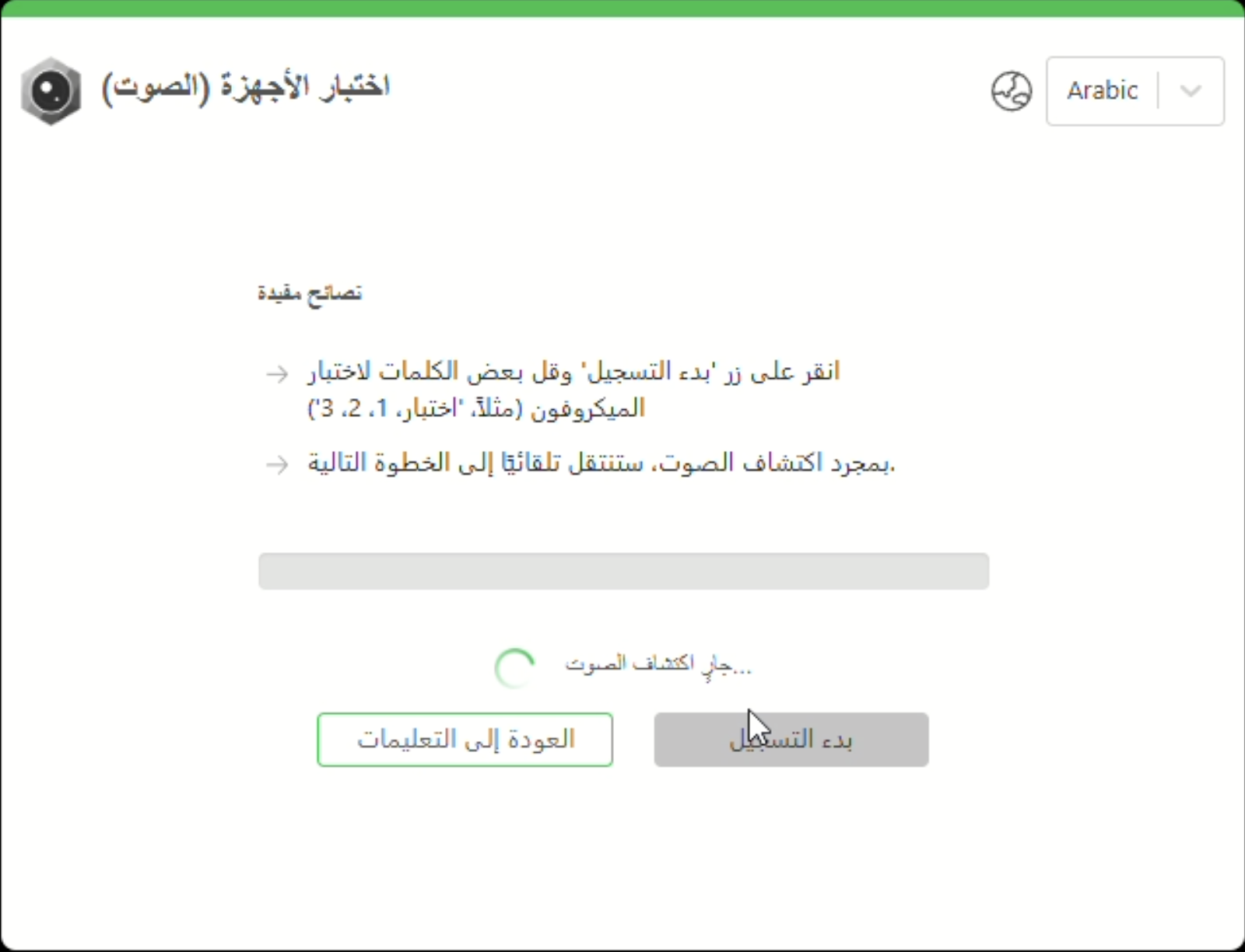
**Arabic is now supported for test takers on v7+**
* Test takers can now select Arabic as their preferred language in a proctored session.
 ***
### **Integrations (V7+)**
1. **Moodle LMS 4.5 | Support for Secure Browser**
Configuring Secure Browser for a quiz in Moodle LMS 4.5 is now supported via the browser extension. Additionally, even screen minimizing and screen protection, sub-features of SB can now be enforced.
***
### **Integrations (V7+)**
1. **Moodle LMS 4.5 | Support for Secure Browser**
Configuring Secure Browser for a quiz in Moodle LMS 4.5 is now supported via the browser extension. Additionally, even screen minimizing and screen protection, sub-features of SB can now be enforced.
**Bug Fixes**
1. **Moodle LMS | Error thrown in the instructions editor**
**Issue:** The instructions editor would display the following error message in La Trobe’s moodle instance i.e version 4.2.
**Solution:** The `quizaccess_proctor` plugin, the plugin responsible for proctoring configurations in the instance has been updated by which this issue has been resolved. The new version (1.5.2) of the plugin can be installed from [here](https://github.com/talview/moodle-quizaccess_proctor/releases/tag/v1.5.2-Quiz_Access_Proctor).
2. **Moodle LMS | Enrollment sync issue**
**Issue:** An issue was faced by BGP team where the students’ data wasn’t being displayed in the LMS dashboard even after performing candidate enrollment sync.
**Solution:** This issue has been resolved. The "Student” role type configuration has been updated and the dashboard will display the ID, name and email of the enrolled students for that particular quiz.