> ## Documentation Index
> Fetch the complete documentation index at: https://docs.talview.com/llms.txt
> Use this file to discover all available pages before exploring further.
# How to get notified when added or removed from a Drive
When you're assigned to or removed from a drive in **Talview Workflow Tools**, you'll receive an email notification to keep you informed about your interview responsibilities. In this article, you'll learn how these notifications work and how to access your assigned interviews.
## Getting Notified When You're Added to a Drive
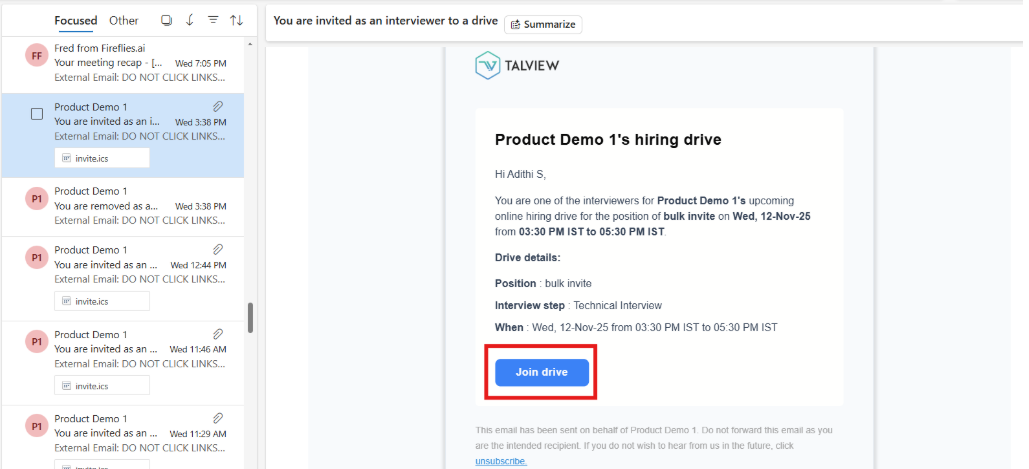
Once a recruiter adds you to a drive, you'll receive an interview invitation email. This notification confirms and provides quick access to join the interview.
 ### How to Join an Interview?
You can join your assigned interview in two ways:
* Click the join link directly from the invitation email
* Navigate to your Interview Dashboard and select the scheduled interview
The email invitation includes key details such as the **interview date, time and candidate information.**
## Getting Notified When You're Removed from a Drive
### How to Join an Interview?
You can join your assigned interview in two ways:
* Click the join link directly from the invitation email
* Navigate to your Interview Dashboard and select the scheduled interview
The email invitation includes key details such as the **interview date, time and candidate information.**
## Getting Notified When You're Removed from a Drive
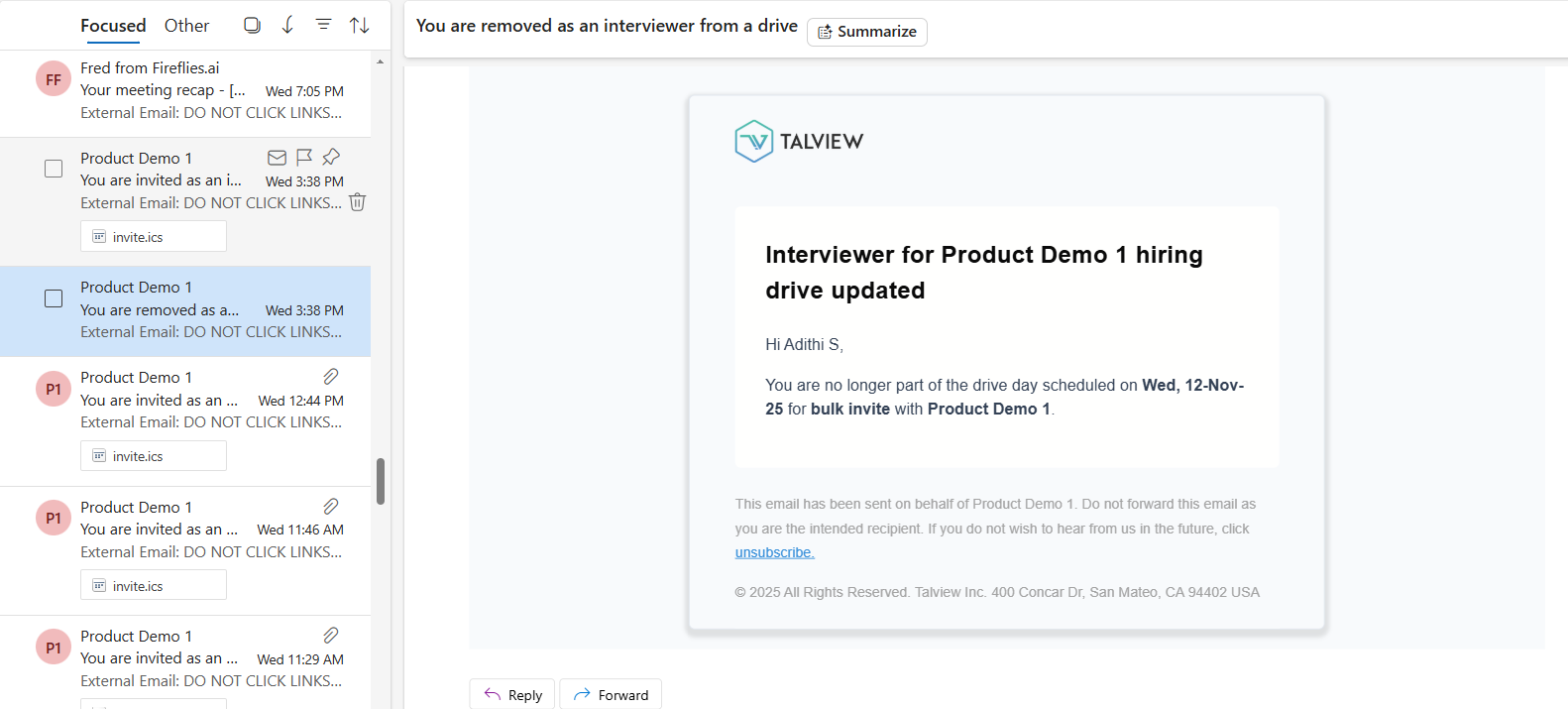 If you're removed from a drive, you'll receive an email notification informing you of the change. This ensures you're aware that you're no longer expected to participate in that particular interview.
The removal notification helps you manage your schedule and prevents confusion about upcoming interview commitments.
### **Managing Your Interview Schedule**
To stay on top of your scheduled interviews:
* Check your email regularly for interview notifications
* Review your I\_nterview Dashboard\_ for all scheduled and upcoming interviews
* Update your availability in the system to help coordinators assign drives more effectively
If you're removed from a drive, you'll receive an email notification informing you of the change. This ensures you're aware that you're no longer expected to participate in that particular interview.
The removal notification helps you manage your schedule and prevents confusion about upcoming interview commitments.
### **Managing Your Interview Schedule**
To stay on top of your scheduled interviews:
* Check your email regularly for interview notifications
* Review your I\_nterview Dashboard\_ for all scheduled and upcoming interviews
* Update your availability in the system to help coordinators assign drives more effectively