> ## Documentation Index
> Fetch the complete documentation index at: https://docs.talview.com/llms.txt
> Use this file to discover all available pages before exploring further.
# How to refine avatar suggestions in the Ivy Avatar Builder
The Ivy Avatar Builder lets you edit an avatar's persona directly through chat instead of manually editing each field. In this article, you will learn how to refine sections of your avatar's profile using the chat panel.
***
### Step-by-step guide
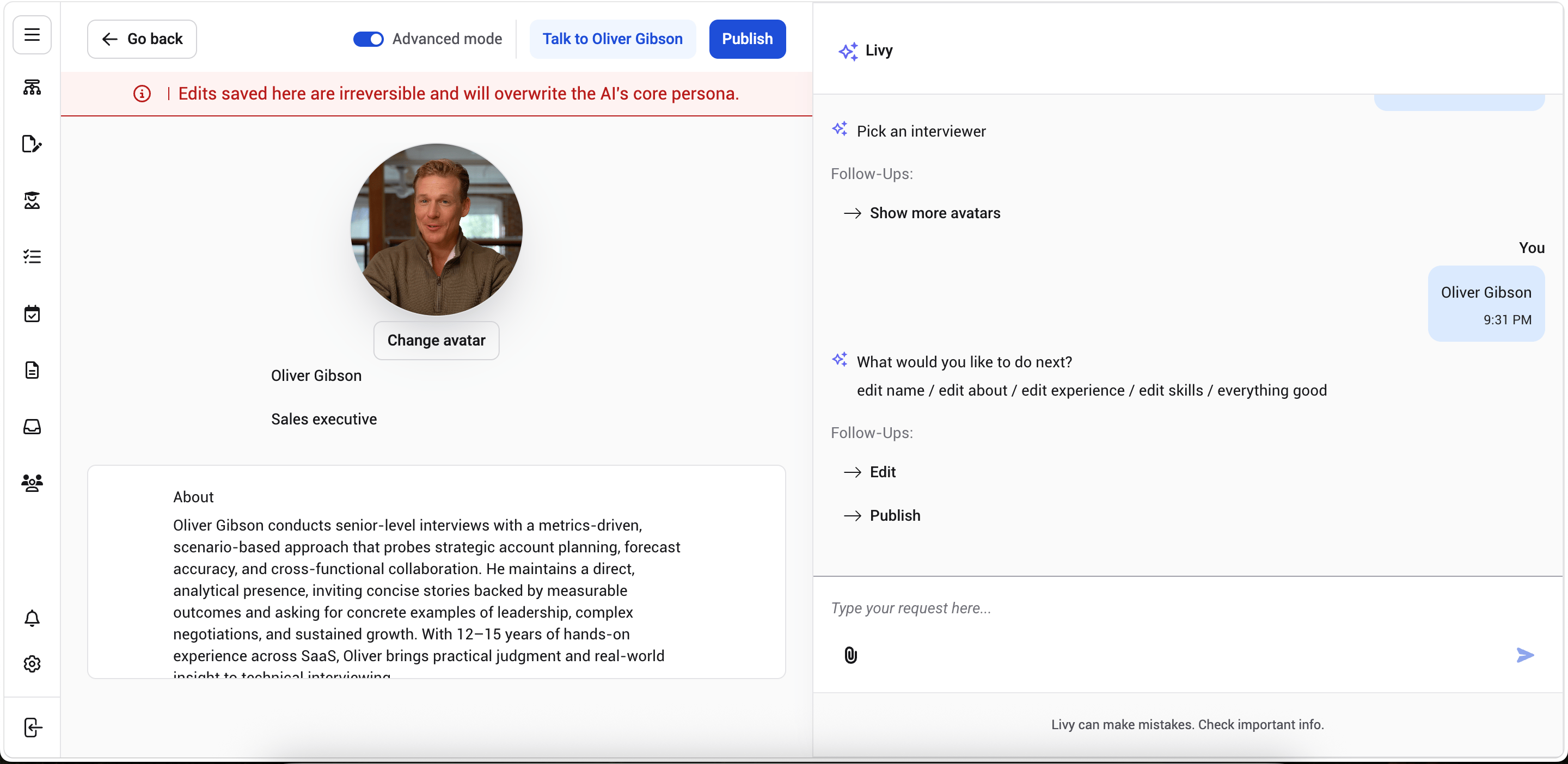 1. In the **chat panel** on the right side of the screen, select the section you want to update, such as **Edit About Section**, **Update Experience**, or **Modify Expertise Tags**.
2. Respond to Ivy's follow-up question. For example, if you select **Edit About Section**, Ivy may ask, "What would you like to change in the About section?"
3. Type or dictate the change you want, such as "Make it more concise" or "Add leadership experience."
4. Ivy updates the corresponding section on the **avatar profile** and confirms the update in the chat panel, for example, "I've updated the About section."
**Additional Tips**
* Changes are saved automatically and stay in place even if you navigate away or refresh the page.
* You can refine multiple sections one after another in the same chat session.
* If Ivy cannot process your request, you'll see a message asking you to try again or switch to Advanced Mode.
1. In the **chat panel** on the right side of the screen, select the section you want to update, such as **Edit About Section**, **Update Experience**, or **Modify Expertise Tags**.
2. Respond to Ivy's follow-up question. For example, if you select **Edit About Section**, Ivy may ask, "What would you like to change in the About section?"
3. Type or dictate the change you want, such as "Make it more concise" or "Add leadership experience."
4. Ivy updates the corresponding section on the **avatar profile** and confirms the update in the chat panel, for example, "I've updated the About section."
**Additional Tips**
* Changes are saved automatically and stay in place even if you navigate away or refresh the page.
* You can refine multiple sections one after another in the same chat session.
* If Ivy cannot process your request, you'll see a message asking you to try again or switch to Advanced Mode.
This documentation is built and hosted on [Mintlify](https://mintlify.com), a developer documentation platform.