> ## Documentation Index
> Fetch the complete documentation index at: https://docs.talview.com/llms.txt
> Use this file to discover all available pages before exploring further.
# How to search for a form
When your Forms list grows, you can use the search bar to quickly find a specific form instead of scrolling through the table. In this article, you'll learn how to search for a form by its name or form ID.
### Before you begin
* You need to be on the Forms list page. If you're not sure how to get there, see [*How to navigate to the Forms*](https://docs.talview.com/admin/forms/how-tos/how-to-navigate-to-the-forms-section) section.
***
### Step-by-step guide
**1. Click the Search bar**
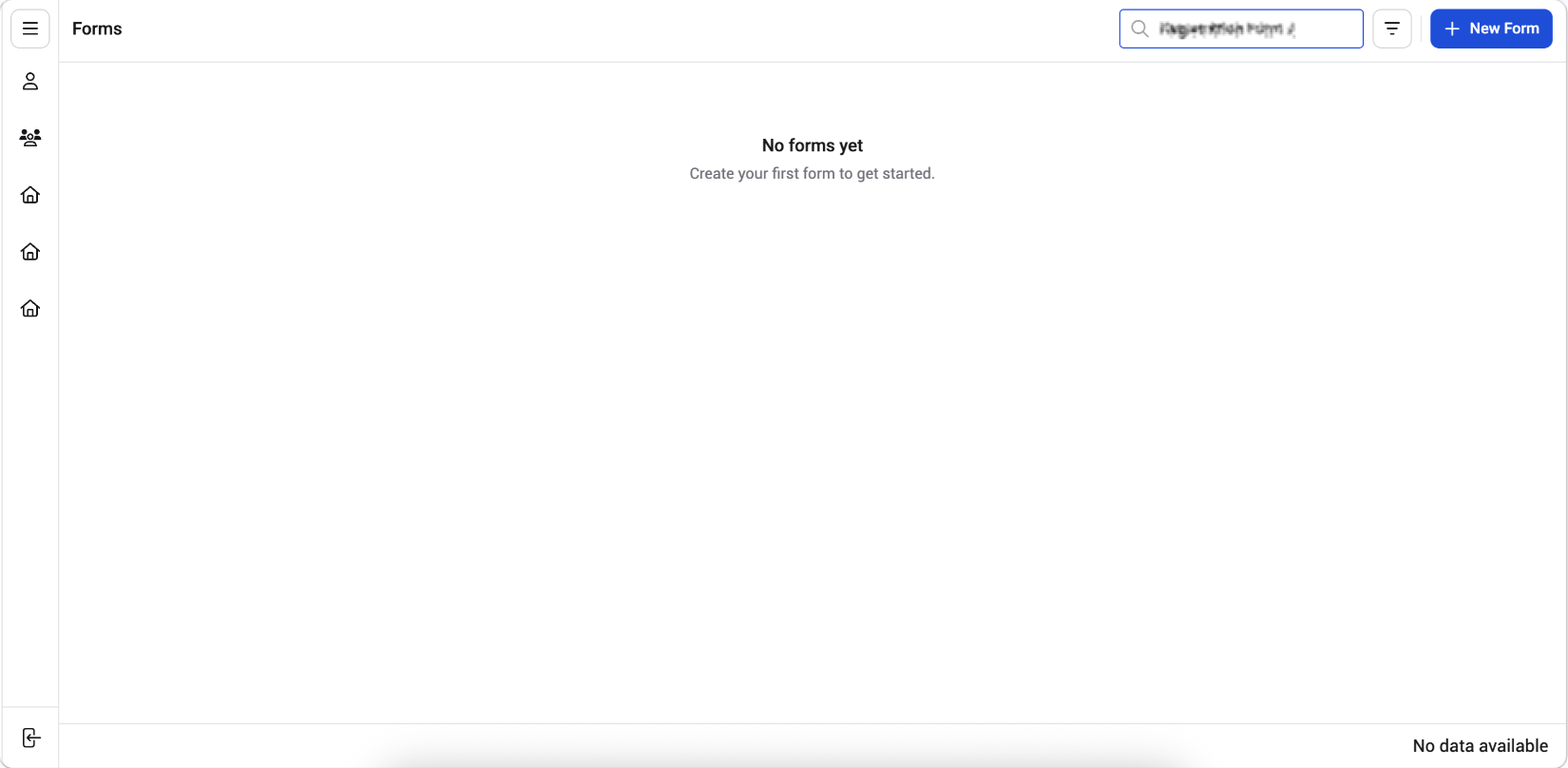
At the top right of the Forms list, click the **Search** bar.
**2. Type your search term**
Enter the form name or form ID (for example, "Registration Form" or "FORM-677"). The list narrows down in real-time as you type, showing only the forms that match your search term.
**3. View the results**
The table updates to display only the matching forms. If no forms match your search term, the page displays a **"No forms yet"** message.
 > **Note**: To clear the search and return to the full list, remove the text from the search bar.
**Additional Tips**
You can also find a form by scrolling through the *Forms list* and using the pagination controls at the bottom of the table.
> **Note**: To clear the search and return to the full list, remove the text from the search bar.
**Additional Tips**
You can also find a form by scrolling through the *Forms list* and using the pagination controls at the bottom of the table.